Video editing is often described as a creative process, but much of an editor’s time goes into repetitive work. Reviewing hours of footage, comparing takes, removing false starts, finding specific moments, syncing cameras, and creating alternate versions can take longer than the creative decisions themselves.
AI editing agents are increasingly useful for these tasks because they can follow instructions and perform defined operations across a project. Instead of asking AI to create an entire video without oversight, editors can delegate specific parts of the workflow and then review the results on the timeline.
That distinction matters. The goal is not to remove the editor from the process. It is to reduce mechanical work so more attention can go toward story, pacing, performance, and visual decisions.
Why repetitive editing tasks are suitable for AI
Repetitive editing work usually has a clear objective. An editor may need to remove repeated takes, find every mention of a topic, shorten pauses, or assemble usable footage into a first cut.

These tasks still require context, but they do not necessarily require an editor to perform every operation manually.
Take a two-hour interview with several attempts at each answer. The editor needs to decide which performance works best, but watching every take and removing obvious repetition can consume hours.
An AI agent can handle the initial review and organization. The editor can then concentrate on the decisions that affect the story.
This makes agentic editing useful for interviews, podcasts, tutorials, talking-head videos, documentaries, multicamera projects, and long-form creator content.
Which tasks can AI editing agents handle?
The most useful applications are tasks that can be clearly described and reviewed afterward.
Reviewing and organizing footage
Large projects often contain more footage than an editor needs. Finding usable sections manually means scrubbing through clips and remembering where specific moments occurred.
AI agents can help analyze footage and locate material based on descriptions, transcripts, scripts, topics, people, actions, or scenes.
For example, instead of manually searching an interview for every section about pricing, an editor could describe the topic and use AI-assisted footage search to locate relevant material.
Invideo editor uses this type of workflow by allowing AI agents to work with footage and instructions inside an editing project. As an AI-powered video editor tool, it helps the editor use the agent for the initial search and organization while retaining control over what ultimately makes the cut.
Removing repetition and false starts
Raw recordings often contain repeated sentences, filler, long pauses, unfinished thoughts, and multiple attempts at the same line.
Removing these manually is not particularly difficult, but it can be tedious when repeated across hundreds of clips.
An AI agent can perform an initial cleanup based on the editor’s instructions. The resulting sequence can then be reviewed and corrected where necessary.
With InVideo Editor, agents can review footage, select usable takes, remove repetition and filler, and help build an editable starting sequence.
Building a base cut
Base-cut assembly is another practical use for AI agents.
A base cut is the first complete version of a timeline assembled from usable footage. It is not a highlight reel or final deliverable. It gives the editor a structured starting point for further work.
An editor can provide footage, a script or transcript, and direction about how the material should be assembled. The agent can then select usable takes and place the material on the timeline.
Invideo editor is designed around this type of agentic assembly. Instead of manually creating the first version from an empty timeline, an editor can delegate the initial assembly and then refine the sequence themselves.
How AI can handle different footage types
The usefulness of an AI editing agent depends partly on the type of material being edited.
Single-camera footage
For scripted footage, an agent can work against a script or transcript and help select a clean take for each section.
For unscripted footage, it can identify the main points, remove repeated explanations, and help create a sequence without keeping every attempt.
This can be useful for tutorials, interviews, product videos, and YouTube recordings where several takes may contain similar information, with AI tools for content creators.
Multicam footage
Multicam projects introduce additional organization work because angles need to be synchronized and layered.
An agent can help create an initial multicamera sequence and identify usable material. The editor can then make the creative decisions about when to use a close-up, wide shot, reaction, or alternate angle.
The key is that the result remains editable. The editor should be able to change selections and refine the cut rather than being locked into the agent’s first decision.
Music and generated media
Music-led projects often require footage to be arranged around a track, rhythm, or predefined structure.
AI agents can also help when a project combines generated media with existing footage. The editor can provide the intended structure and let the agent handle some of the initial arrangement.
Why the timeline still matters
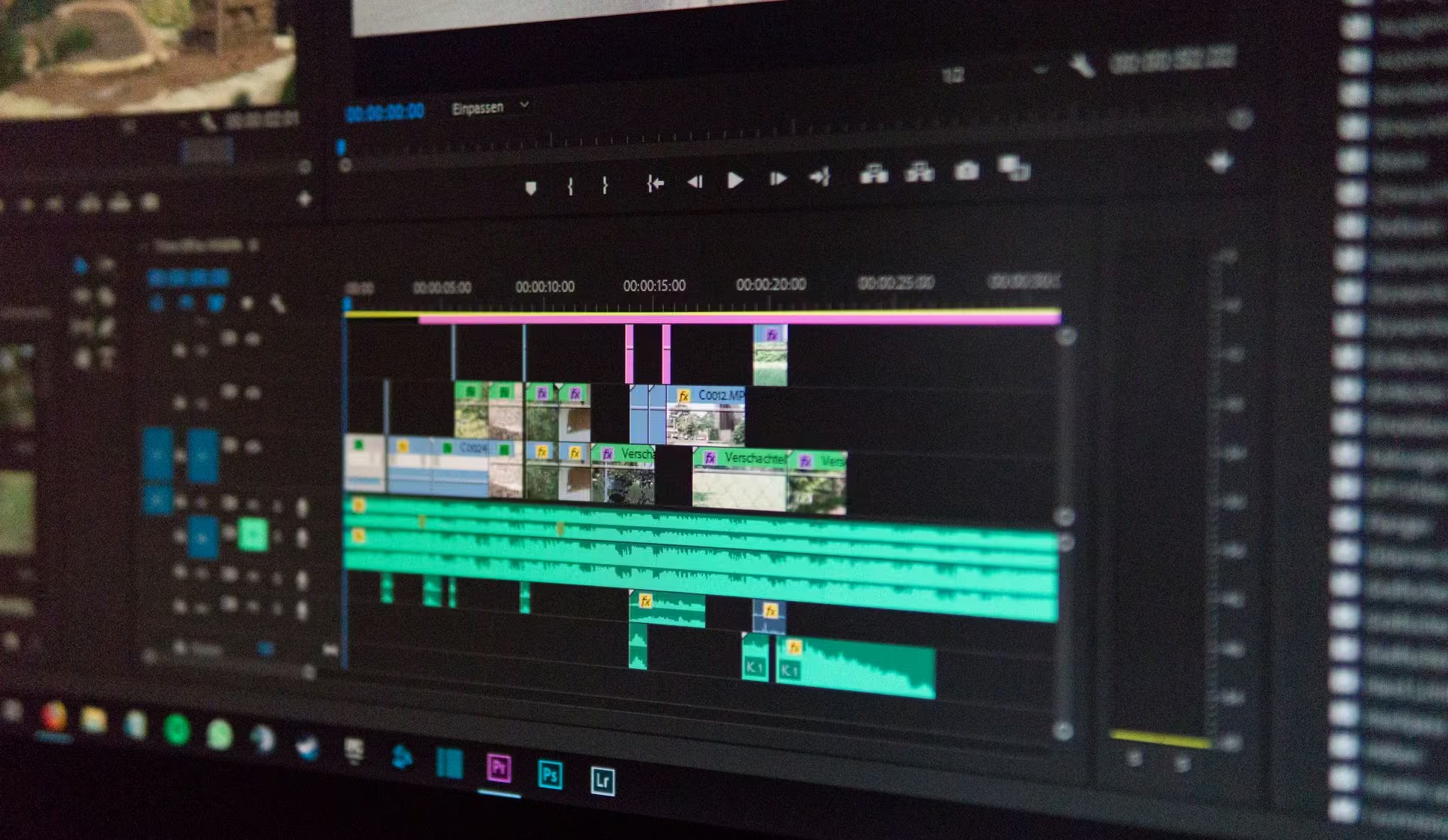
An AI-generated result is only useful if an editor can inspect and change it.
An automated assembly may select technically clean footage but miss a subtle performance choice. A scene may technically work in one order but feel better when rearranged. A pause that looks unnecessary may actually be important to the rhythm of the conversation.
An editable timeline gives the editor the ability to make those decisions.
This is an important part of the InVideo editor workflow. AI agents can perform assigned work directly within the editing project, while the editor can review the result, redirect the agent, or make changes manually.
The relationship is closer to delegating work to an assistant editor than handing over the entire project.
Repetitive tasks continue after the first cut
The initial assembly is only one part of post-production.
Finding footage for new edits
Once a project is complete, editors may need to revisit the source material for trailers, social clips, highlights, or another version.
Semantic search can make this process easier by helping locate specific dialogue, people, objects, scenes, or actions without manually reviewing every clip again.
Creating multiple versions
One finished video may need several variations for different platforms or audiences.
AI agents can help create these versions based on defined requirements, while the editor reviews the final selections and structure.
This can be particularly useful for creators and marketing teams that repeatedly turn long-form material into shorter cuts.
Assisting with colour and finishing
Some finishing work also contains repetitive adjustments.
AI-assisted colour grading can provide a starting point from a text instruction or reference image. The editor can then refine exposure, contrast, temperature, tint, saturation, colour wheels, curves, and LUT settings manually.
The InVideo editor supports this combination of AI direction and manual colour control, allowing the editor to use AI for an initial treatment while retaining control over the final look.
A practical workflow
A simple workflow can keep AI assistance focused and reviewable.
1. Prepare the material
Upload the relevant footage and add a script, transcript, reference, or other information that helps define the task.
2. Give the agent a specific job
Start with a measurable task such as creating a base cut, removing repetition, finding footage, or preparing a shorter version.
3. Review the timeline
Check the agent’s take selection, pacing, continuity, and structure. Identify decisions that need human judgment.
4. Refine and finish
Redirect the agent where appropriate, then take over manually for the final creative decisions.
Invideo editor follows this general model by combining AI editing agents with an editable timeline, giving editors a way to delegate repetitive work without giving up control of the project.
Frequently Asked Questions about AI video editing.
What is an AI video editing agent?
An AI video editing agent is a system that can follow instructions and carry out defined editing tasks across a project. Instead of automating only one action, an agent can help review footage, locate useful material, remove repetition, organize takes, assemble a base cut, and prepare versions for the editor to review.
How is an AI editing agent different from a regular AI editing feature?
A regular AI feature usually performs a specific action, such as removing pauses or finding a clip. An AI editing agent can work across several connected operations based on a broader instruction. The editor still reviews the resulting timeline and decides what stays in the final video.
Is an AI video editing agent the same as an AI video generator?
Not necessarily. AI video generation focuses on creating new media, while an editing agent can work with existing footage, transcripts, scripts, and other project material. Some workflows can combine generated media with existing footage, but the editing agent’s role is to organize and modify material within the project.
What should you give an AI editing agent before it starts editing?
Start with the relevant footage and provide as much useful context as the task requires. That might include a script, transcript, reference material, intended structure, or clear instructions about what the agent should find, remove, assemble, or shorten. Specific instructions make the resulting edit easier to review.
What should you check after an AI agent creates a first cut?
Review the selected takes, pacing, continuity, structure, and any choices that depend on human judgment. A technically clean selection is not always the best performance, and a pause or shot that looks unnecessary to the AI may still matter to the story or rhythm.
Can AI agents turn long-form footage into shorter videos?
Yes. Once footage has been organized, an AI agent can help locate specific moments and prepare alternate or shorter versions based on defined requirements. This can be useful when interviews, podcasts, tutorials, or other long-form projects need additional cuts for different uses.
Do AI video editing agents eliminate the need for a timeline?
No. An editable timeline remains important because editors need to inspect and change the agent’s decisions. The ability to replace a take, adjust pacing, rearrange material, or manually refine the edit is what keeps the editor in control of the finished video.
The goal is less repetitive work, not less editing
AI agents are most useful when they take care of mechanical tasks while leaving creative decisions with the editor.
Reviewing footage, removing repetition, assembling a base cut, finding specific moments, and preparing versions can all consume valuable production time. Delegating parts of that work can give editors more time to focus on story, performance, pacing, sound, and visual direction.
The practical value of tools such as InVideo Editor is therefore not simply that AI can edit video. It is that AI agents can work on defined tasks inside an editable project.
The editor remains responsible for what the audience ultimately sees. The AI simply handles more of the repetitive work required to get there.