
Editor’s note: This review combines official manufacturer specifications with independent testing conducted by CRYOVEX, alongside performance data sourced and verified across other reputable publications.
TL;DR | Hands-On REVIEW
Timekettle LiveTalk: The Short Take
54 languages and 108 accents, but delays and occasional errors remain.
Lightweight, 6.9 g open-ear design built for comfortable conversations.
Over four hours of rated translation, 25 offline language pairs, and four modes.
Disappointing music feedback and just 200 free online translation minutes monthly.
A practical companion for frequent multilingual conversations, but not a replacement for premium audio or professional interpretation.

Timekettle LiveTalk AI Real-Time Translation Earbuds, Open-Ear, Black
Imagine landing in a country where you don’t speak the language. You know a few phrases, but once someone starts talking at normal speed, you’re lost. You reach for your phone, open a translation app, and suddenly a simple conversation becomes a back-and-forth exercise in passing a screen around.
The Timekettle LiveTalk AI Interpreter Earbuds want to make that exchange feel less awkward.
Launched on October 8, 2026, at US$129, these open-ear earbuds combine wireless audio with AI-powered translation across 54 languages and 108 regional accents. They also handle phone calls, foreign-language videos, and longer listening sessions.

On paper, that’s an appealing combination. In practice, translated conversations still come with pauses, occasional mistakes, and a monthly usage allowance.
So, are the Timekettle LiveTalk earbuds worth buying?
The short answer: LiveTalk looks like a practical option for travellers, international students, and people who occasionally communicate across languages. Its broad language coverage and four translation modes are useful selling points. However, independent testing reveals noticeable translation delays, uneven results between languages, and music performance that may disappoint listeners expecting conventional high-quality earbuds.
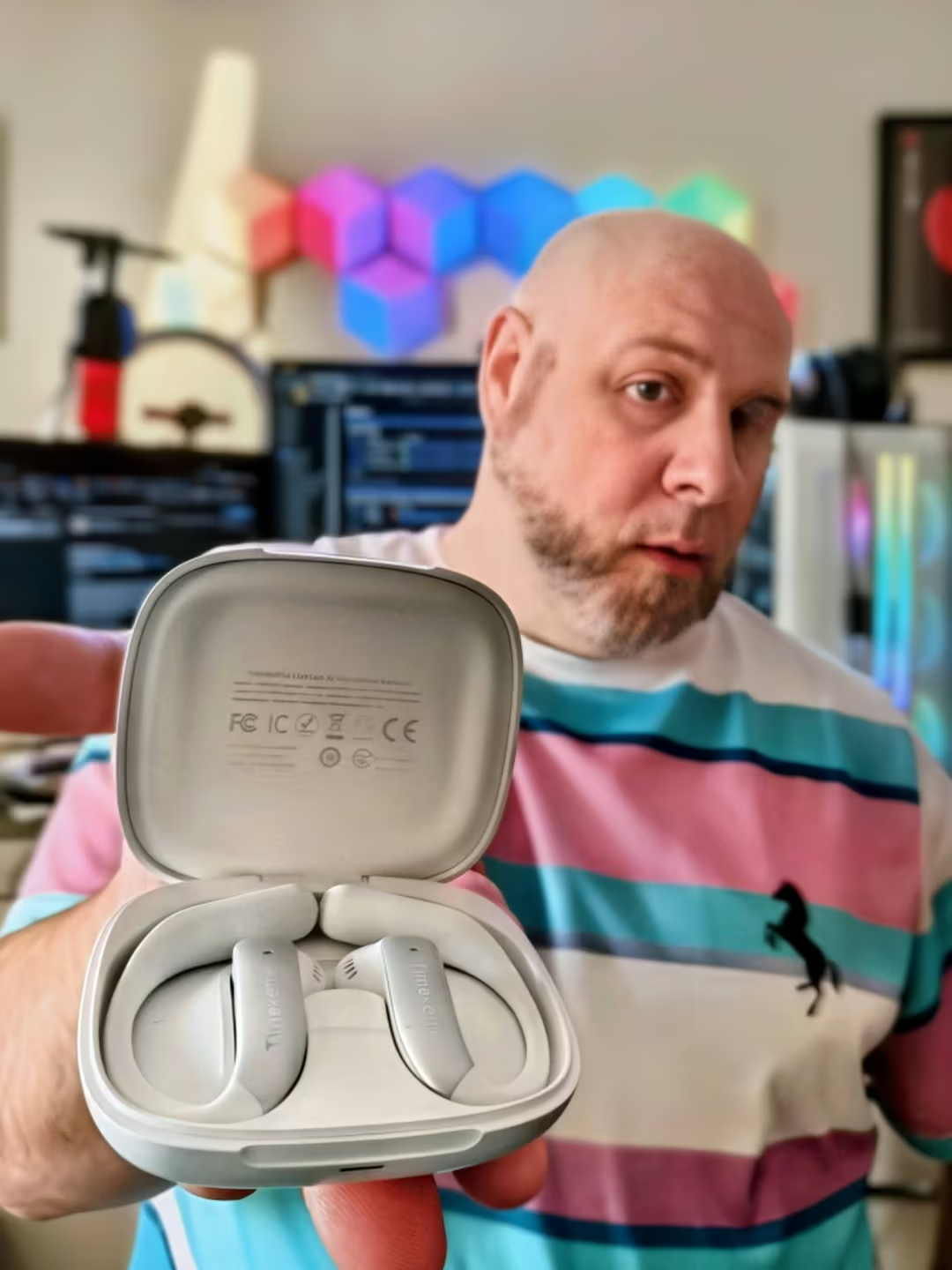
Timekettle LiveTalk: My Hands-On Experience
AI translation sounds impressive on paper. What matters to me is whether it can keep a conversation going without getting in the way.
When I look at the Timekettle LiveTalk, I’m less concerned about its advertised 54 languages and more interested in what happens when two people sit down and actually try to communicate.
That’s where things get interesting, and a little less polished than the marketing suggests.
The real-world testing I’ve examined paints a mixed picture. In one Cantonese conversation, translation delays reached approximately five seconds. That might not sound like much, but imagine waiting five seconds every time someone finishes speaking. A casual exchange suddenly becomes a series of awkward pauses.
Accuracy wasn’t flawless either. Proper nouns were confused, and some translated phrases didn’t quite capture what the speaker intended. Yet the conversation still worked well enough for both participants to understand each other.
Spanish delivered a better result, particularly in a conversation involving Ecuadorian Spanish. The translation was more natural, and the exchange was easier to follow.
For me, that’s the most important distinction. LiveTalk doesn’t necessarily eliminate the language barrier. It helps people work around it.
The design makes sense for actual conversations
One thing I appreciate about LiveTalk’s approach is the open-ear design.
Instead of sealing off my ears with silicone tips, the earbuds are designed to let surrounding sounds pass through. That makes practical sense when the whole point is communicating with someone standing in front of me.
At just 6.9 grams per earbud, the lightweight construction also looks well suited to longer conversations. Published wearing experiences suggest the fit is relatively comfortable, although I can’t confirm how it would feel on my own ears after several hours.
I also like that the earbuds don’t look like a bulky translation gadget. They’re discreet enough to resemble ordinary wireless earbuds.
Translation comes first; music comes second
I wouldn’t buy these expecting premium audio.
The LiveTalk includes 11 mm drivers and adjustable EQ settings, but the listening feedback I’ve reviewed raises concerns about music quality.
That’s disappointing for a product that doubles as Bluetooth earbuds, although it isn’t necessarily a dealbreaker.
I’d rather have clear spoken translation than powerful bass when trying to understand someone in another language.
Still, if I’m spending US$129 on earbuds, I want to know whether they’ll replace something I already own or become another device I have to carry around.
Based on the available evidence, I’d treat LiveTalk primarily as a translation accessory with music playback included, not the other way around.
There’s still a phone involved
Another detail I wouldn’t overlook is how much LiveTalk depends on the smartphone.
The earbuds deliver translated audio, but the companion app remains central to the experience. In Face-to-Face mode, the phone’s microphone captures the conversation.
That means I wouldn’t call the entire process hands-free.
It’s certainly more convenient than constantly reading translations off a screen, but there are still languages to select, modes to configure, and a phone that needs to remain nearby.
I can see the appeal of Live Listening during a lecture or guided tour, particularly with translated text and AI-generated summaries available afterward.
Voice Call and Multimedia Translation also add flexibility, although I’d want more consistent independent testing before relying on either for important conversations.
The monthly allowance changes the value proposition
The 200 free translation minutes per month deserve more attention than they’re likely to receive from casual buyers.
For occasional travel, that might be perfectly reasonable. Ten minutes here, a short conversation there, and the allowance could last the month.
But I’d be looking at this differently if I needed translation for daily meetings, classes, or extended conversations.
Once those minutes are used, additional translation time can involve paid plans or minute packages.
I don’t mind paying for a service that delivers genuine value, but I want the ongoing cost to be clear before buying the hardware.
My overall impression
What interests me most about the Timekettle LiveTalk isn’t the technology itself. It’s the possibility of making everyday communication less frustrating.
The published experiences show that the earbuds can support meaningful conversations between people who don’t share a language. That’s valuable, even when the translation isn’t perfect.
At the same time, I can’t overlook the delays, occasional inaccuracies, music-quality compromises, and recurring translation costs.
I assess that LiveTalk makes the most sense for someone who regularly encounters language barriers and values convenience over perfect translation or premium sound.
If I only needed translation during an occasional holiday, I’d probably try a smartphone translation app first.
But for frequent travel, multilingual family conversations, or regular interactions across languages, I can see why having translation delivered directly into my ears would be appealing.
The technology is promising. I just wouldn’t confuse promising with flawless.
What exactly are the Timekettle LiveTalk earbuds?
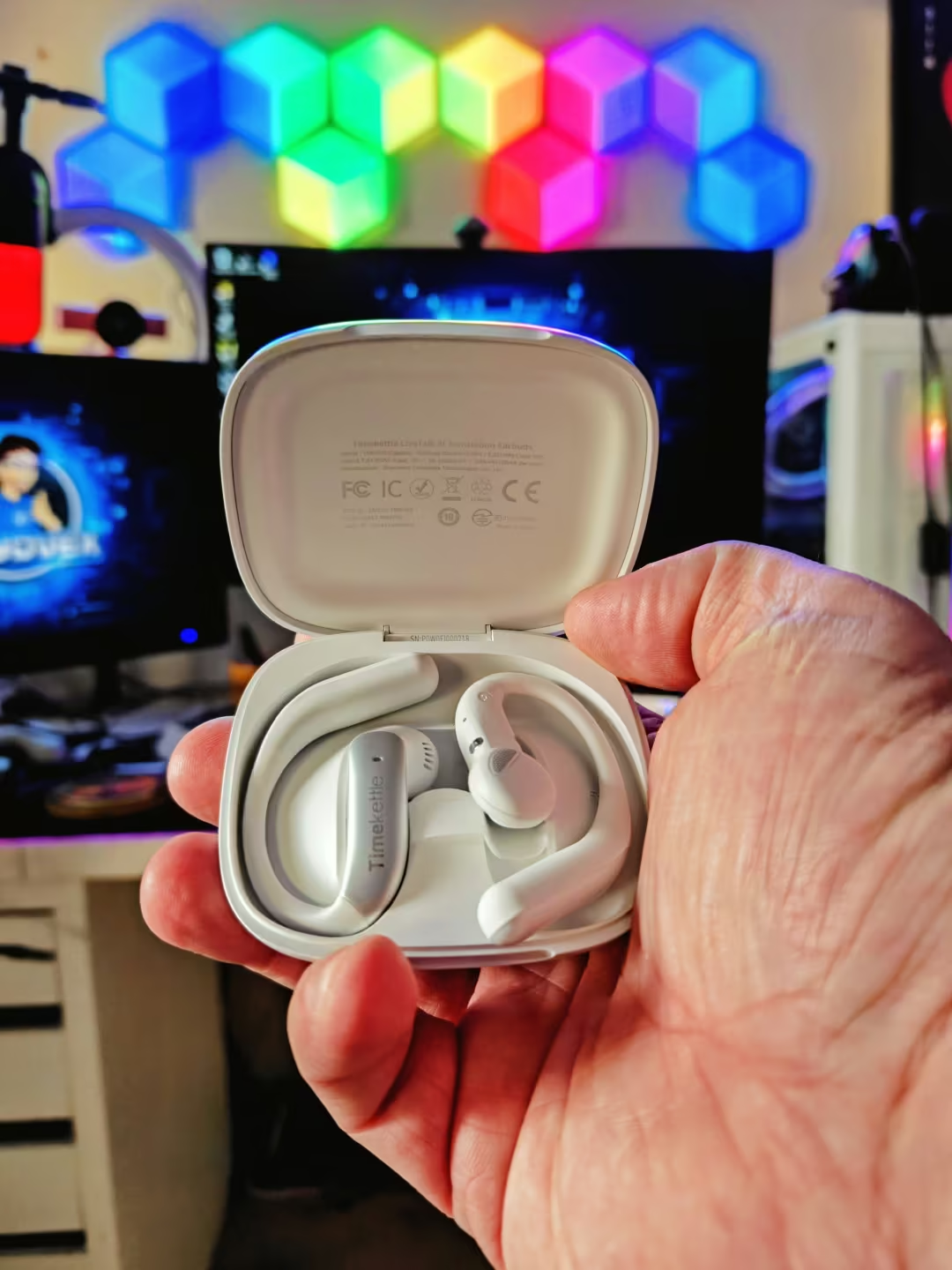
I’ve previously tested the Timekettle M2, which gave me an early look at how translation earbuds handle everyday conversations. LiveTalk takes the concept further with additional languages, new translation modes, and an open-ear design.
LiveTalk is a pair of open-ear wireless earbuds designed to translate spoken language through the Timekettle smartphone app.
Unlike a dedicated handheld translator, LiveTalk also works as everyday audio equipment for music, podcasts, and calls. The idea is to carry one set of earbuds instead of separate devices for listening and translation.
The design uses a hook that wraps around the ear rather than a silicone tip inserted into the ear canal. Each earbud weighs approximately 6.9 grams.
An open-ear design makes sense for conversations. You can still hear the person speaking naturally while receiving translated audio.
There is a trade-off, though. Without the seal of conventional in-ear earbuds, outside noise remains audible, and music reproduction can sound different from what you might expect from traditional headphones.
Timekettle LiveTalk specifications
| Feature | Specification |
|---|---|
| Launch price | US$129 (CAD$198) |
| Translation languages | 54 online languages |
| Regional accents | 108 |
| Offline translation | 25 downloadable language pairs |
| Translation modes | Face-to-Face, Live Listening, Voice Call, Multimedia |
| Design | Open-ear, ear-hook |
| Weight | 6.9 g per earbud |
| Audio drivers | 11 mm dynamic |
| Music battery life | Up to 8 hours |
| Total music battery life | Up to 35 hours with charging case |
| Continuous translation | More than 4 hours, manufacturer-rated |
| Quick charging | Up to 2.5 hours of use from a 10-minute charge |
| Bluetooth | 5.3, with multipoint support |
| Free online translation | 200 minutes per device monthly |
| Smartphone app | Timekettle, iOS and Android |
These are published specifications rather than CRYOVEX laboratory measurements.
How does Timekettle LiveTalk translation work?
The earbuds depend on the Timekettle app to manage languages, capture or process audio, and deliver translations.
This is an important distinction. You’re not buying a completely independent translator that can do everything without a smartphone.
For face-to-face conversations, the phone’s microphone plays a central role in capturing speech. The app processes that speech and sends translated audio to the earbuds.
LiveTalk provides four modes for different situations.
Face-to-Face Translation: For everyday conversations
This is the feature most travellers will probably try first.
Select the languages being spoken, position the phone where it can capture the conversation, and use the earbuds to hear translated speech.
A hotel check-in, a restaurant conversation, or a discussion with a local shopkeeper are obvious examples.
It sounds simple, but conversations depend on timing. A delayed response can interrupt the natural flow, particularly when someone isn’t expecting a pause.
The phone microphone also creates a practical limitation. It needs to capture the speaker clearly, which can become difficult in a crowded restaurant, busy station, or noisy meeting room.
Live Listening: For lectures, presentations, and tours
Face-to-Face mode is built for exchanging ideas. Live Listening is intended for understanding someone who speaks for an extended period.
The smartphone captures speech while the earbuds deliver translated audio. Translated text also appears in the app.
That makes the feature potentially useful for international students, conferences, presentations, and guided tours.
Timekettle also includes AI-generated summaries with time-stamped topics and access to saved translation history.
It’s an interesting approach to accessibility and comprehension. Rather than trying to remember every translated sentence, users can revisit the major points afterward.
Still, automated summaries should not be treated as guaranteed transcripts of everything said. Important information deserves manual verification.
I’ve also tested the Viaim RecDot AI earbuds, which take a different approach to AI-powered audio by focusing on meeting recordings, transcription, and summaries rather than primarily on live language interpretation.
Voice Call Translation: Conversations across borders
LiveTalk also supports translation during compatible voice calls and internet-based calling scenarios.
The feature could help someone who regularly speaks with overseas suppliers, distant relatives, or international colleagues.
Instead of reading translated text while someone talks, users receive the translation through their earbuds.
The benefit is convenience, but not necessarily speed.
Voice calls already introduce their own communication delays. Adding speech recognition, translation, and playback creates another layer of processing.
For informal discussions, that may be acceptable. For fast-moving negotiations or technical conversations, it becomes more consequential.
Multimedia Translation: Understanding foreign-language content
The fourth mode deals with digital content rather than someone speaking directly to you.
Timekettle supports translation for compatible audio and video sources, including online learning content, podcasts, and videos.
Bluetooth multipoint allows connection to two devices, such as a smartphone and laptop.
That could make LiveTalk useful at a desk as well as during travel.
Someone learning a language might use it to understand an unfamiliar podcast. A student might follow an online lecture that isn’t available in their preferred language.
The feature’s value depends on the supported source, the languages involved, and whether the translation keeps pace with the material.
Translation accuracy: What independent testing reveals
Translation accuracy is the most important part of this purchase, and it’s where buyers should be particularly careful about marketing promises.
Supporting 54 languages is impressive on a specification sheet. It doesn’t mean every language pair will perform equally well.
In an October 8 review for City AM, updated October 9, Steve Dinneen tested LiveTalk in conversations involving Cantonese and Spanish.
His reported experience was mixed.
With Cantonese, translation took approximately five seconds in the conversation he tested. He also encountered problems with proper nouns, and some translations were only broadly understandable.
The participants were nevertheless able to have a short conversation.
Spanish translation was more encouraging. Dinneen reported that a conversation with a colleague familiar with Ecuadorian Spanish worked reasonably well.
That difference matters. Languages, accents, speech patterns, and context can all affect a translation system’s output.
A five-second delay may be tolerable when asking for directions. It feels different during a lively discussion involving several people.
The lesson isn’t that LiveTalk fails at translation. It’s that users should expect assistance rather than perfect, uninterrupted interpretation.
Dinneen’s observations come from specific conversations, not a controlled multilingual benchmark. They should not be interpreted as proof that all Cantonese translation is slow or all Spanish translation is consistently accurate.
There is also an important boundary for professional use.
Don’t rely exclusively on consumer AI translation for medical instructions, legal agreements, emergencies, or financially significant negotiations.
In those circumstances, an inaccurate word or missing qualification can have consequences far beyond an awkward conversation.
Design and comfort: Built for longer conversations?
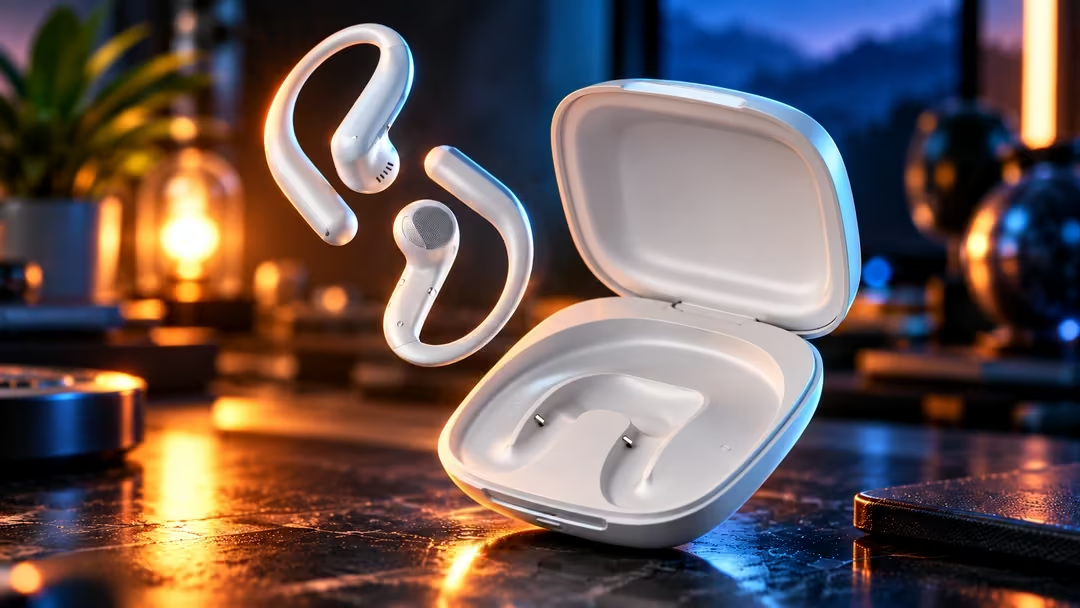
The open-ear design is one of LiveTalk’s more sensible choices.
Traditional in-ear earbuds physically separate you from surrounding sound. That can be helpful on a train or during a workout, but it isn’t always ideal when speaking directly with someone.
LiveTalk leaves the ear canal open.
The lightweight ear-hook design also avoids relying on a tight silicone seal to remain in place.
In his City AM review, Dinneen described the earbuds as lightweight and relatively comfortable while wearing them during writing.
That’s encouraging, although one reviewer’s experience cannot establish comfort for every ear shape or over an entire day.
The charging case adds portability, while the earbuds look closer to ordinary wireless audio accessories than a specialized translation device.
For the intended purpose, that discretion matters. The technology should support a conversation rather than become its centre of attention.
Sound quality: Can LiveTalk replace your regular earbuds?
Timekettle includes 11 mm dynamic drivers, EQ presets, customizable sound settings, and a dedicated audio profile for translation.
The Translation EQ is designed to emphasize speech clarity rather than bass-heavy music reproduction.
That makes sense because understanding spoken language is the product’s main purpose.
However, impressive hardware specifications don’t automatically translate into enjoyable sound.
City AM’s reviewer was sharply critical of music playback, describing a listening experience that fell well short of conventional earbuds.
This is a meaningful warning for buyers attracted by the promise of one device for everything.
Open-ear headphones can be convenient and comfortable, but their acoustic design generally makes isolation and strong low-frequency performance more challenging than with sealed in-ear models.
That doesn’t automatically make them bad. It means buyers should approach LiveTalk primarily as a translation device that also plays music, rather than assume it competes directly with similarly priced music-focused earbuds.
If rich bass, sound isolation, or detailed music playback is your priority, consider a dedicated pair of audio earbuds instead.
Battery life: Enough for a full travel day?
Timekettle rates LiveTalk for up to eight hours of music playback on a charge, with up to 35 hours available when including the case.
Continuous translation is rated for more than four hours.
Those numbers are not interchangeable.
Translation involves additional processing, communication with the smartphone, and ongoing audio playback. Users should plan around the shorter translation figure when considering long sessions.
For a traveller who needs occasional help with directions, ordering food, or checking into accommodation, four hours of continuous translating capability may be more than necessary.
A student using translation throughout consecutive lectures might find the limit more restrictive.
A 10-minute quick charge is rated to provide up to 2.5 hours of additional use, although actual results will depend on how the earbuds are used.
The key point is that these are manufacturer ratings. Independent battery endurance measurements for LiveTalk have not been established in this CRYOVEX assessment.
Offline translation: Useful, with an important limitation
One of LiveTalk’s strongest travel-oriented features is its support for 25 downloadable offline language pairs.
That could be valuable when mobile data is expensive, roaming service is unavailable, or connectivity becomes unreliable.
But there’s a detail buyers should understand.
Twenty-five offline language pairs are not the same as offline support for all 54 online languages.
You’ll need to check whether your intended language pair is supported and download it before travelling.
The safest approach is to test the offline function before leaving home rather than discover at the airport that your required language pair is unavailable.
Even when a language pair is supported, don’t assume its offline translation quality or feature set exactly matches online operation.
The real cost: Are 200 free minutes enough?
LiveTalk’s US$129 launch price is only part of the buying decision.
Timekettle provides 200 free minutes of online translation per device every month. Those minutes cover the four translation modes.
Unused monthly minutes do not roll over.
For short, occasional conversations, that allowance may be sufficient.
For daily lectures, regular multilingual calls, or extended meetings, the arithmetic changes.
| Usage pattern | Estimated monthly minutes | Free allowance |
|---|---|---|
| 5 minutes, 3 times weekly | 60 | Sufficient |
| 10 minutes every weekday, 20 days | 200 | Exactly enough |
| 30 minutes every weekday, 20 days | 600 | Insufficient |
| 60 minutes every weekday, 20 days | 1,200 | Insufficient |
These examples assume each session consumes translation minutes according to its elapsed duration. Actual account consumption should be checked in the app.
Timekettle offers additional paid minutes, a Pro subscription, and an Unlimited plan.
The company’s documentation describes Pro as providing an additional 300 monthly minutes and Booster Packs as providing 600 additional minutes that do not expire.
Regional subscription prices vary. For example, the Canadian Apple App Store listed LiveTalk-specific monthly subscription options when checked in October 2026.
Before purchasing, verify the current subscription price in your country and app store.
A user translating a few conversations each month might never need to upgrade. Someone using translation throughout a working day should calculate the ongoing expense before treating the hardware as a one-time purchase.
Timekettle LiveTalk versus a smartphone translation app
Here’s the question every potential buyer should ask:
Why pay for translation earbuds when your phone already supports translation apps?
The answer isn’t necessarily better translation accuracy. We don’t have sufficient controlled comparative testing to establish that.
It’s about how the experience fits into daily life.
A smartphone translation app can be a practical, low-cost option for occasional conversations. You can display translated text, play speech through the phone speaker, and avoid buying another device.
LiveTalk moves translated audio into your ears and combines several translation situations in one app.
That could make long listening sessions more comfortable or help users follow translated speech without constantly reading a screen.
However, the phone remains part of the system.
LiveTalk also introduces charging, Bluetooth connectivity, compatible app requirements, and possible subscription expenses.
For someone who translates a conversation twice a year, the phone may be enough.
For someone living between two languages, dedicated earbuds become easier to justify.
Who should buy the Timekettle LiveTalk?
Frequent international travellers: LiveTalk offers broad language support, an open-ear design, and offline options for situations where translation is needed regularly.
International students: Live Listening and AI summaries provide an interesting combination for lectures and presentations, subject to translation quality and consent requirements.
Multilingual families: For informal conversations between relatives who don’t share a common language, the earbuds may reduce reliance on passing a phone between people.
Remote workers: Translation for compatible calls and media could be useful when regularly interacting with colleagues in other countries, although sensitive discussions require extra caution.
Who should skip them?
Occasional travellers: If you only need translation for a few short conversations every year, start with a smartphone app.
Music-first buyers: Independent feedback raises concerns about sound quality. Prioritize a dedicated audio product if music matters more than translation.
Professionals requiring precise interpretation: A consumer AI system is not a replacement for a qualified human interpreter when accuracy is critical.
Heavy translation users avoiding subscriptions: Two hundred included minutes can disappear quickly during lengthy daily sessions.
Timekettle LiveTalk AI Real-Time Translation Earbuds, Open-Ear, Black
Are Timekettle LiveTalk earbuds worth it?
Timekettle LiveTalk addresses a genuine problem. Communicating across languages often involves an uncomfortable mix of translation apps, repeated sentences, and interrupted conversations.
Moving translated speech into a lightweight pair of earbuds is a practical idea.
The combination of 54 online languages, multiple translation modes, offline support, and an accessible US$129 launch price makes LiveTalk worth considering.
But the real-world limitations deserve equal attention.
Independent testing has documented several-second translation delays, inconsistent results between languages, trouble with proper nouns, and disappointing music quality.
The monthly translation allowance also means the purchase price isn’t necessarily the full cost of ownership.
Our assessment: LiveTalk is most compelling as a convenience-focused translation accessory for people who encounter language barriers regularly. It is less convincing as a premium music product or a substitute for professional interpretation.
For the right buyer, it could make conversations easier. For everyone else, a smartphone translation app may remain the smarter first choice.
Before spending the money, confirm three things: that your language pair is supported, that the free minutes fit your usage, and that the sound-quality compromise is acceptable.
That’s a better buying decision than simply counting the languages printed on the box.
Frequently asked questions
Does Timekettle LiveTalk translate in real time?
Yes. LiveTalk provides live speech translation through its companion app. However, real-time does not mean instantaneous. City AM reported a delay of approximately five seconds during some tested conversations.
How many languages does Timekettle LiveTalk support?
Timekettle lists 54 online languages and 108 accents. It also provides 25 downloadable offline language pairs.
Does Timekettle LiveTalk work without internet?
Yes, for supported offline translation language pairs that have been downloaded beforehand. Not every online language combination is necessarily available offline.
Do you need a subscription for Timekettle LiveTalk?
Not necessarily. Each device includes 200 minutes of online translation per month. Paid options are available if you need additional translation time.
Can you use Timekettle LiveTalk for phone calls?
Yes. Voice Call Translation is one of its four supported translation modes. Availability can depend on the calling scenario and compatible devices.
Are Timekettle LiveTalk earbuds good for music?
They support ordinary Bluetooth music playback, but independent reviewer Steve Dinneen criticized their sound quality. Buyers primarily interested in music should consider other earbuds.
Can LiveTalk translate Zoom meetings or online videos?
LiveTalk supports compatible voice-call and multimedia translation scenarios. Bluetooth multipoint is available, but support for a particular application and setup should be verified before purchase.
How long does the Timekettle LiveTalk battery last?
Timekettle rates the earbuds for up to eight hours of music playback or more than four hours of continuous translation. Total music playback with the charging case is rated at up to 35 hours.
Is Timekettle LiveTalk worth buying for travel?
It may be worthwhile for travellers who frequently need translation and prefer listening instead of reading a phone screen. For occasional use, a smartphone translation app may offer better value.
Can Timekettle LiveTalk replace a professional interpreter?
No. Automated translation may misunderstand names, terminology, context, or accents. Critical medical, legal, or business discussions should involve a qualified interpreter when accuracy matters.