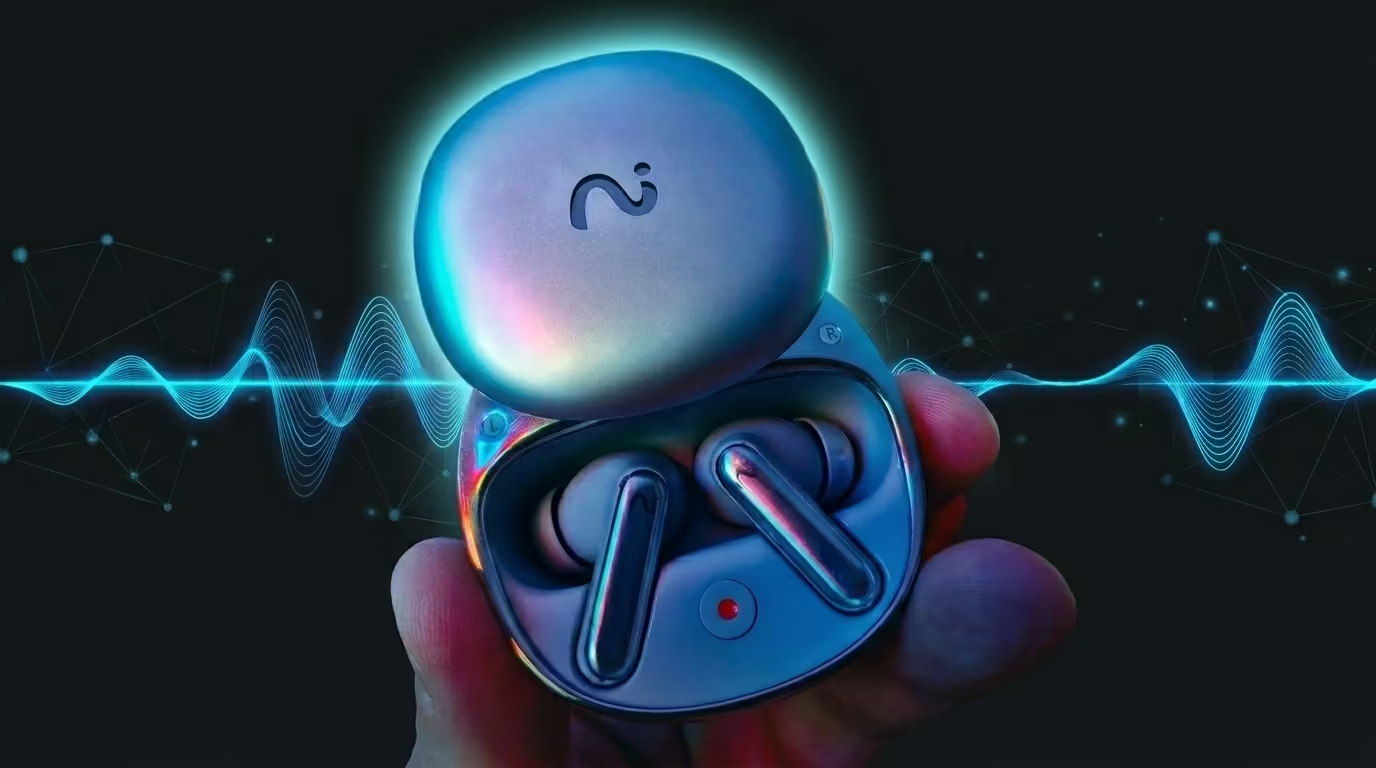

What Makes These AI Earbuds Different
Most earbuds try to win with one thing: louder bass, stronger noise cancelling, or a cooler brand name. Viaim RecDot takes a different path. It tries to solve a daily problem that many people have accepted: meetings, lectures, and calls create information overload, and most of it gets forgotten.
The “hook” here is simple: wear the earbuds as usual, but switch to a mode that makes them a hands-free recorder and AI note-taker. Instead of digging for your phone, opening a recorder app, and praying you remember to hit “stop,” the workflow is designed to feel seamless—especially for office life and study sessions.
And that’s the real angle: these aren’t “AI features glued onto average earbuds.” They’re earbuds designed around a productivity workflow—record → transcribe → summarize → produce to-dos—while still delivering audio performance that’s genuinely enjoyable in everyday listening. The official product positioning leans hard into that “meetings and communication” story.
Quick Verdict (Pros, Cons, and Who Should Buy)
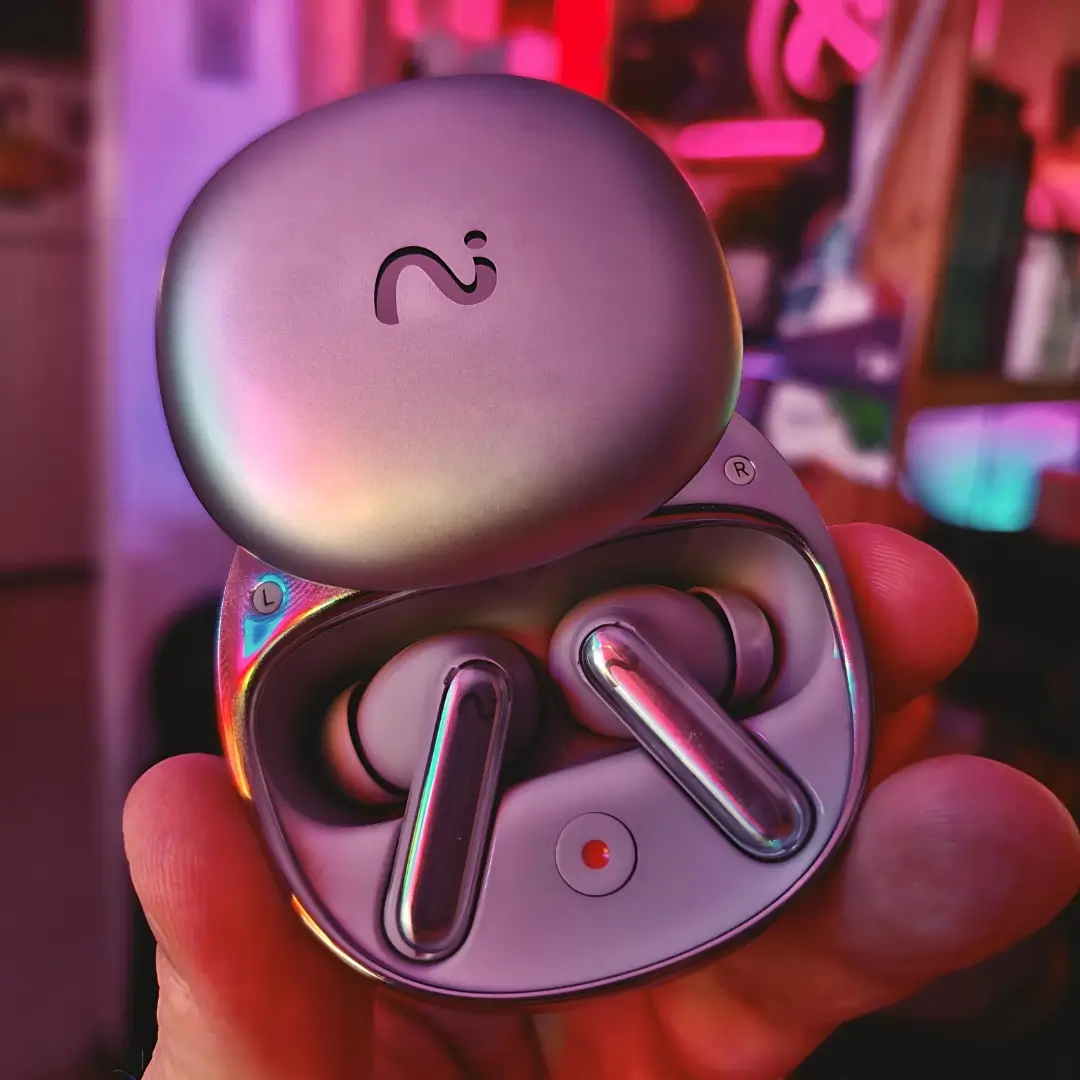
If you want the shortest, honest takeaway: these are premium earbuds for people who value time and clarity over perfect ANC. In real testing notes, the standout is the recording + transcription pipeline, followed closely by the surprisingly strong sound quality.


RecDot AI Voice Recorder Earbuds & VIAIM NoteKit Computer AI Meeting Assistant, AI Meeting Assistant with Transcription, 16 Languages, FlashRecord, to-Do...
Features
| ASIN | B0FV86RSFW |
| Date First Available | June 2, 2025 |
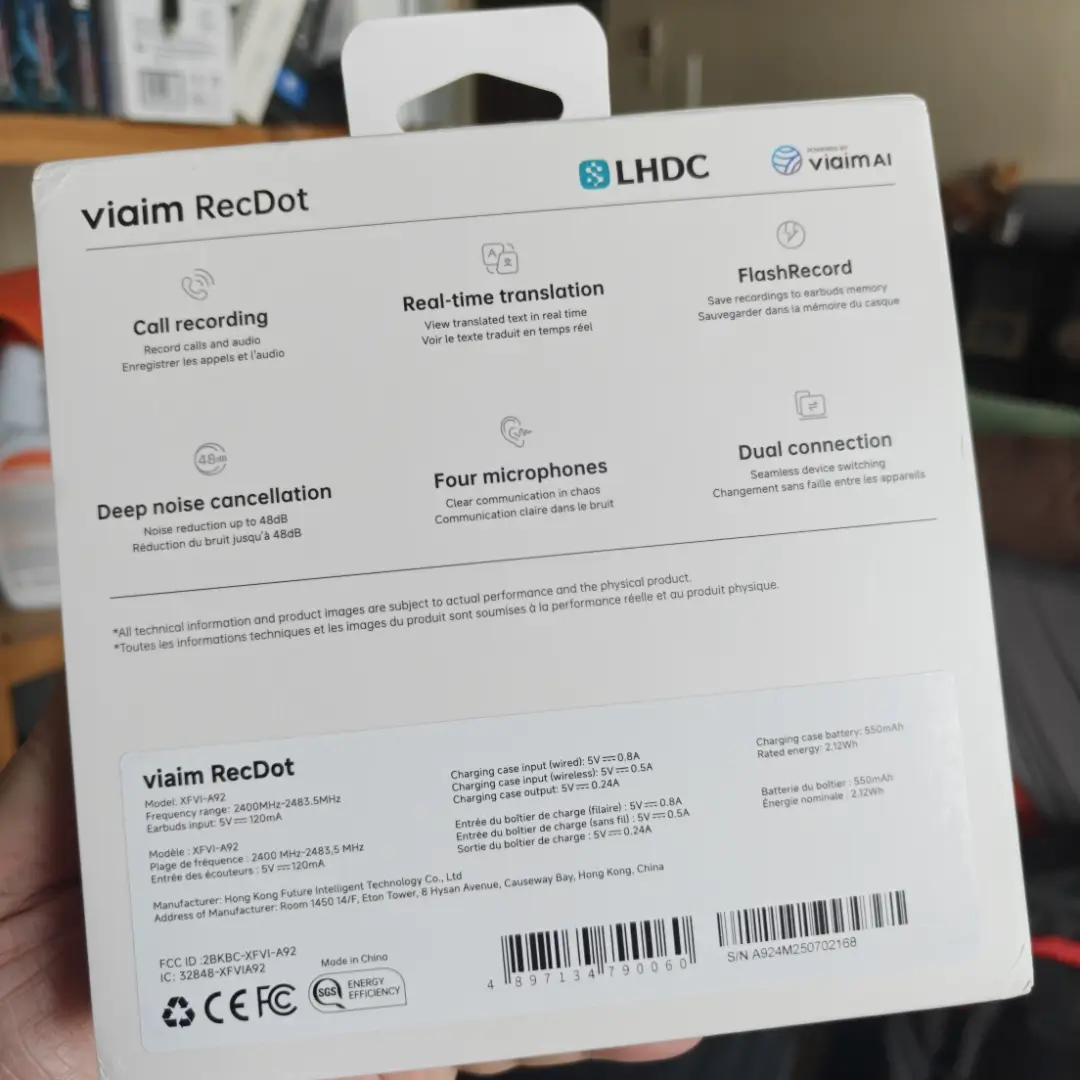
- AI Transcription & Translation - 16 Languages in Real-Time: viaim RecDot AI voice recorder earbuds pair with the viaim App to deliver instant, accurate transcription and translation in 16 languages. Ideal for global sales teams, remote collaborators, and travelers who need seamless multilingual communication on the go.
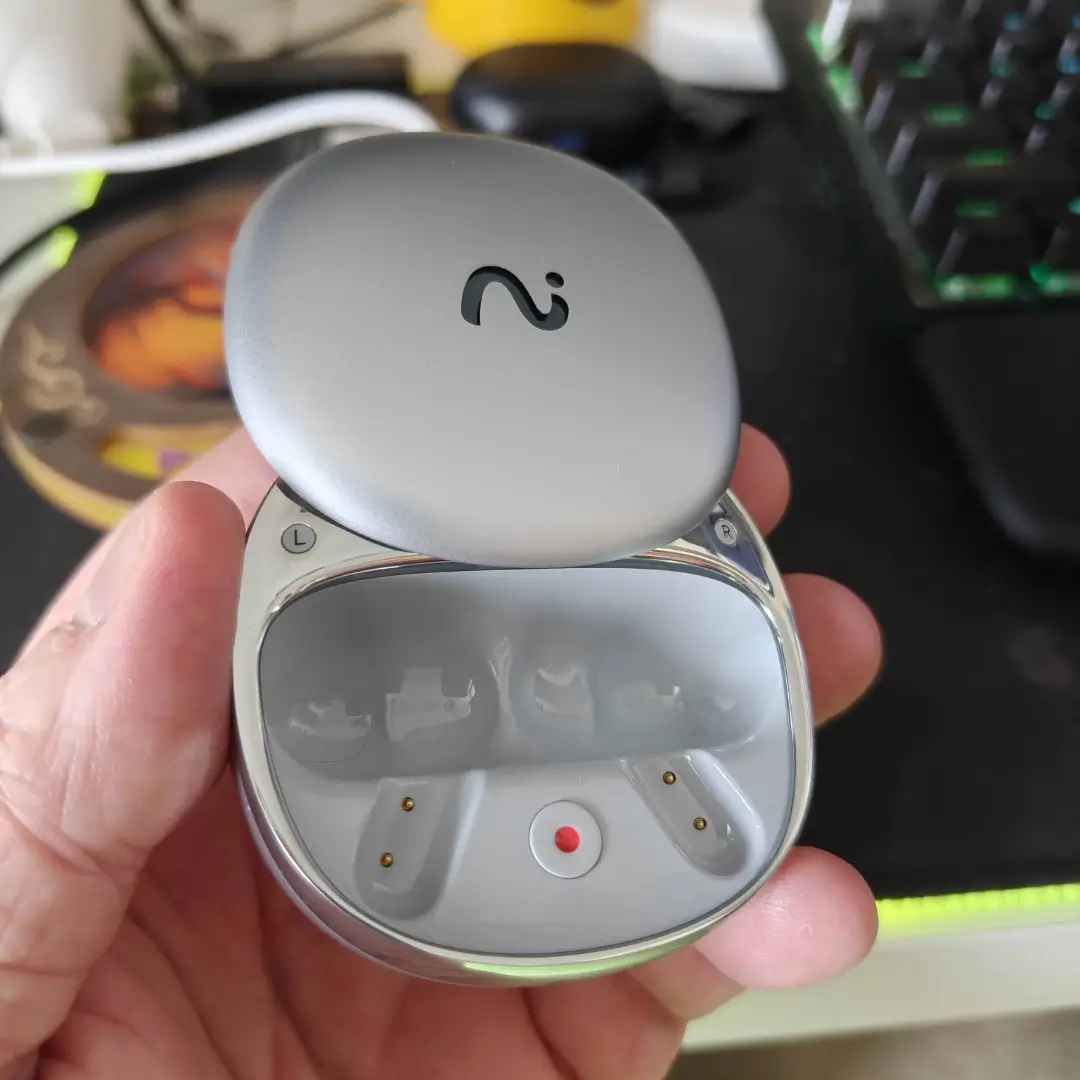
- FlashRecord – Live Audio, Call & Video Recording: Capture live audio, phone calls, and video sound instantly with viaim RecDot’s FlashRecord. Just tap the charging case’s red dot to start—no phone or app needed. With built-in storage and three recording modes, it’s perfect for spontaneous ideas, urgent meetings, or on-the-go moments
- AI Note Taker - Generate Smart Summaries & To-Do Lists: Let viaim AI auto-generate to-do lists and summaries after every call or meeting. No more manual note-taking—just clear, organized insights that boost productivity and help you stay focused on what matters. Perfect for managers, lawyers, or busy remote professionals who value efficiency
- Dual Microphones for Clear 16.4ft Pickup – Pro-Grade Audio Recording with viaim NoteKit: With dual microphones capturing voices clearly from up to 16.4 feet (5 meters), this AI Meeting Assistant is perfect for boardrooms, academic lectures, group discussions, and interview scenarios where precision matters
- Sleek, Lightweight Design – Professional AI Recorder That Travels With You: At just 0.3 oz and a compact 2.4 x 0.27 x 0.6 inches, viaim NoteKit blends style with function. Its portable design is perfect for business travel, workspace organization, or minimal tech setups without sacrificing performance
Big pros
- Recording + built-in transcription for calls, clips, and in-person meetings
- AI summaries and actionable to-do lists that can save serious time after meetings
- Great sound quality with lively detail across frequencies
- Dual pairing for multi-device workflows
Notable cons
- ANC is “fine,” not elite—don’t expect Bose-level hush
- The charging case lid can feel flimsy (a durability worry long-term)
- Fit may not be secure enough for intense workouts
Who should buy
- People in meetings all day, students in long lectures, journalists, recruiters, project managers, founders, and anyone who needs clean notes without typing.
Who should skip
- If your #1 priority is top-tier ANC for planes, or you want the tightest sports fit, you’ll likely be happier elsewhere.
Specs at a Glance
Here’s the practical set of specs most people care about day-to-day:
| Spec | What it means in real life |
|---|---|
| Drivers | 11mm titanium-coated dynamic drivers for strong detail and punch |
| Battery | Up to 9 hours in buds; up to 36 hours with case |
| Water/Dust | IP55 for sweat/rain resistance (not for swimming) |
| Connectivity | Bluetooth 5.2 and dual-device pairing |
| Charging | USB-C + wireless charging support |
| Core feature | AI recording + live transcription + translation |
Price, Release Date, and Real-World Value
The RecDot line has been positioned as a premium product, and multiple sources peg the launch timing around CES 2025 / January 2025, with North American promotion tied to CES dates (January 7–10, 2025).
Pricing is the trickiest part, because it varies by market and seller. Some reviews and retail listings describe an asking price around the sub-$250 range, while your testing notes mention $199.99 (with a sale price seen lower). The safest interpretation is: these live in the premium bracket, and the best “value” depends on how often you’ll actually use the AI workflow.
Here’s the simple value logic:
- If you use transcription weekly (or daily), the time saved can outweigh the price.
- If you rarely record anything, you’re paying for features you won’t touch.
Unboxing and Setup: What It’s Like on Day One
Setup is mostly normal earbud behaviour: charge the case, pair via Bluetooth, then install the app if you want the AI tools. The “difference” is permissions—recording, microphone access, and transcription features require you to be comfortable with the software layer.
From a practical standpoint, plan a short “setup hour” where you:
- Pair earbuds
- Update firmware (if prompted)
- Test one short recording
- Confirm transcription language and speaker labelling
- Try exporting/sharing notes to your device
Also, it’s worth saying plainly: recording laws vary by location. Viaim’s own store pages emphasize responsible, transparent recording and mention configurable recording alerts.
Recording Modes Explained (Calls, Clips, Meetings)
This is the heart of the product, so it needs a clear breakdown.
Call recording + real-time text
The earbuds can transcribe calls in real time (including system or VoIP calls, depending on setup). In your testing notes, this worked reliably enough that it became part of the normal workflow.
Audio/video clip transcription
You can also transcribe existing clips—think: a recorded lecture snippet, a video someone sent you, or a voice note. This is helpful because it extends the product beyond “live meetings” into “everything I hear.”
Face-to-face meeting capture
This is the “wow” demo: sit in a room, record, and get speaker-labelled text. Viaim’s product page highlights on-site meeting recording and even mentions a pickup range in marketing materials.
Transcription Accuracy in Real Testing
A product like this lives or dies by accuracy. If it’s wrong often, it’s worse than useless—because it gives you false confidence.
Your notes describe the transcription as reliable and accurate, including speaker recognition that was “surprisingly” dependable for real meetings. That matters because “who said what” is often the most important part of meeting minutes.
The main recurring issue you observed was punctuation behaviour: long pauses can trigger sentence breaks (adding a full stop where the speaker didn’t mean one). It’s not a disaster, but it does mean you should expect a quick clean-up pass—as you’d do with most auto notes tools.
Practical tip: If you want better notes:
- Encourage speakers to avoid long dead-air pauses mid-thought
- Use the summary + to-do feature after the meeting to “stitch” meaning back together
Translation and Multilingual Support
Live translation is one of those features people think they won’t use—until they do. Your testing notes mention translation support extending transcription into multiple languages (and the product marketing also emphasizes translation).
The most realistic use cases:
- Global teams with mixed fluency levels
- Students in language learning settings
- Travel scenarios where you need a quick understanding
- Interviews where you want both audio + translated text for later
Even if you don’t use it daily, it’s a powerful “insurance policy” feature when life gets multilingual.
AI Meeting Assistant: Summaries and To-Do Lists
This is the feature that turns a gadget into a productivity tool.
In your notes, the meeting assistant didn’t just summarize—it produced actionable to-do items and even assigned responsibilities accurately enough to impress you in real tests. That’s significant because many “AI summary” tools create vague fluff.
The core benefit is straightforward:
- You leave a meeting with clear actions, not a messy transcript
- You spend less time re-listening or rewriting notes
- You can share the results across devices for follow-up
And because these are earbuds, the “capture” step is frictionless—arguably the biggest advantage compared to phone-only apps.
Sound Quality: Music, Podcasts, and Calls
Here’s the part that surprised you (and would surprise many buyers): the audio quality isn’t an afterthought.
Your notes describe vibrant, detailed, crisp playback, with enough separation to enjoy layered orchestral tracks and vocal-forward music. You also found the default/balanced profile best across varied genres, while the other presets worked best as “situational spices.”
That’s the ideal scenario for mainstream listeners:
- Default tuning sounds good most of the time
- Presets exist if you want extra bass or pop energy
- Calls remain clear enough even in busy environments
Important honesty: if someone is a hardcore audiophile chasing a perfectly neutral signature, they aren’t trying to be that. They’re trying to be a great everyday sound experience while enabling AI productivity.
Real-World Testing: My Personal Multi-Scenario Experience
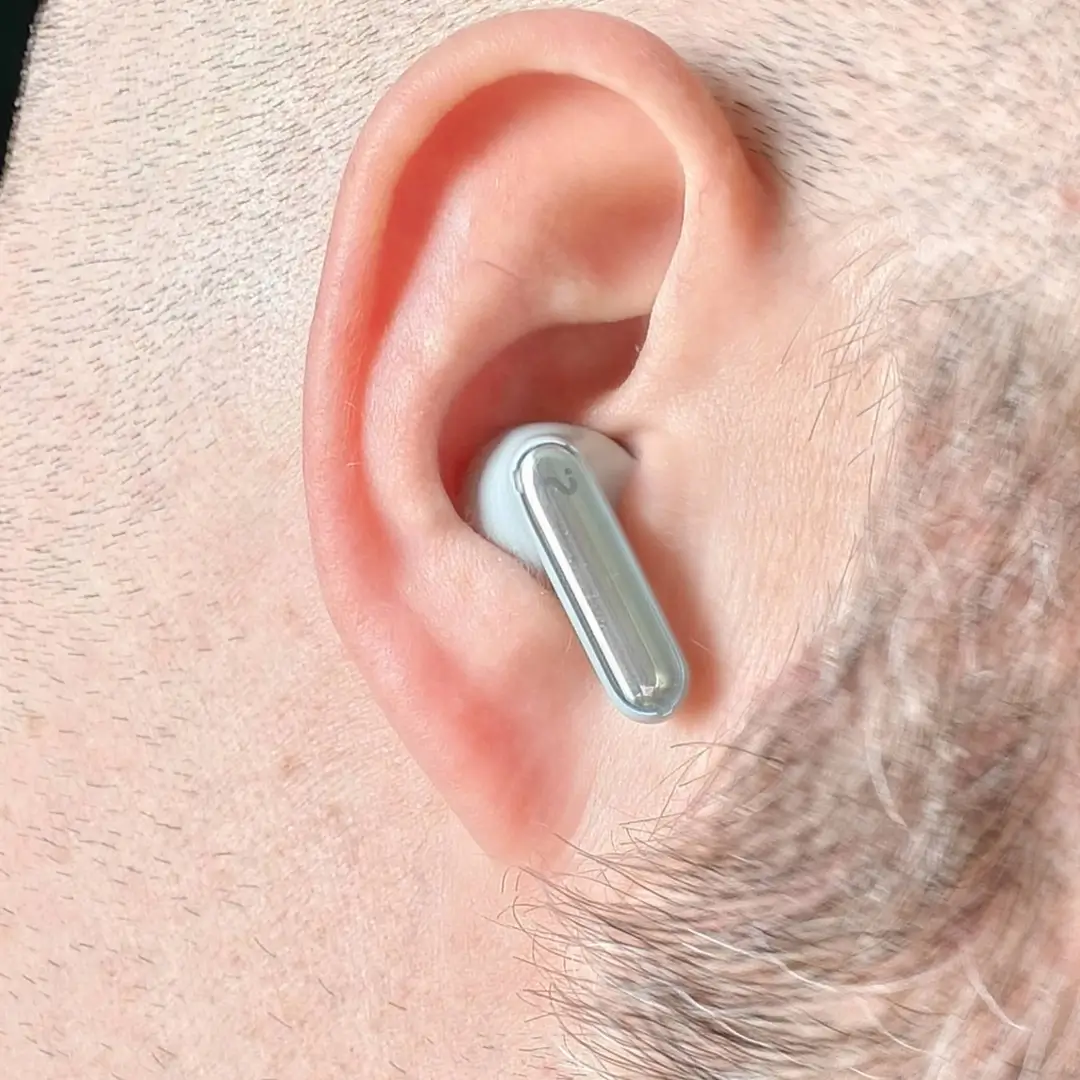
Pairing the RecDot was straightforward. It works the same way most modern earbuds do — open the case, connect via Bluetooth, and you’re up and running. That said, I strongly recommend downloading the app immediately. Yes, you can use them out of the box, but if you care about sound quality, fit optimization, and AI features, you’ll want the added control. I tailored the experience to my own needs, and it made a noticeable difference.
For my primary sound test, I created a real-world scenario instead of a lab condition. I was sitting on the couch with my laptop open, people actively talking in the room, and a television playing in the background. ANC was turned on. This is a normal living environment — not a quiet testing chamber.
The genres I tested ranged from EDM to R&B to pop. My goal wasn’t just to see if the earbuds “sound good,” but to evaluate clarity, separation, bass response, and whether LHDC support and equalizer adjustments actually improved the listening experience.
Out of the gate, I noticed punchy bass, crystal-clear vocals, and rich mids. The tuning felt lively without becoming harsh. To truly evaluate range, I recommend playing high-quality, less-compressed tracks. Most consumers won’t do that — they’ll stream and judge from there — but if you want to see what the drivers are capable of, better source audio makes a difference.
Fit matters more than people realize. The box includes multiple ear tips, and you should absolutely test them. Once you achieve a proper seal, use the app’s fit-optimization tool to minimize sound leakage. That seal directly impacts bass depth and ANC performance. Skipping this step leaves performance on the table.
Volume testing was interesting. On my laptop, I hovered around 50% volume. On my phone outdoors, closer to 60%. That gave me a strong listening experience without pushing distortion or discomfort. The headroom feels solid, and I never felt like I needed to max them out.
Controls are about what I’d expect from modern earbuds. They’re functional, familiar, and easy to adapt to, though not revolutionary.
Now, regarding the AI recorder, note-taker, and transcription features: they’re impressive. Technically, they work well. Personally? I don’t see myself using them much. Most meetings I attend are stand-ups, ongoing discussions, or announcements where nothing critical needs archiving. There aren’t many action items. That may simply reflect the type of meetings I’m part of.
However, that doesn’t diminish the value of the feature. If you’re in structured meetings with deliverables, client calls, interviews, lectures, or project management sessions, the AI recording and transcription tools could be extremely useful. For my workflow, it’s a bonus feature rather than a necessity — and I think that distinction matters.
ANC and Transparency: Good, Not Great
Noise cancelling is where the RecDot looks more “normal” than “best-in-class.”
Your notes call ANC fine rather than fantastic, and you found the auto option more reliable than fixed low/mid/high settings—even if it sometimes affected sound quality.
So what does that mean in plain language?
- In an office, café, or commute: you’ll be fine
- On a long-haul flight with heavy engine rumble, you may want stronger ANC earbuds
This is the trade-off: the RecDot’s “superpower” isn’t silence. It’s capturing and organizing speech.
Mic Quality and Call Performance
For a product that records meetings, the microphone performance is a big deal.
In your tests, calls and conversations stayed intelligible even in busy environments, and the capture process felt dependable enough to use for real work tasks.
The bigger point: meeting recording isn’t just “mic quality.” It’s also:
- How well the system separates voices
- Whether the text output is readable
- Whether it produces usable summaries quickly
That’s where this product stands out compared to standard earbuds.
Comfort, Fit, and Everyday Wear
Fit is personal, but your notes land in a clear place:
- Fine for desk work, commuting, meetings
- Not snug enough for intense exercise
The earbuds are slightly chunkier than some long-stem rivals, which may impact comfort for people with smaller ears. That said, multiple ear tip sizes help, and for the target user (work-focused), the fit is usually “good enough.”
Design and Controls (Including the Case Record Button)
The earbuds use touch/gesture controls on the stem. You found them a bit fiddly, especially multi-press actions, and wished for clearer feedback like tones or haptics.
Now the fun part: the case includes a physical record button for quick meeting capture. You loved this feature and used it regularly, but wanted a clearer “now recording” indicator. That’s a fair critique: the best productivity tools reduce doubt, not increase it.
The case itself:
- Magnetic seating is satisfying and secure
- The lid can feel slightly flimsy, raising durability questions
Battery Life, Charging, and Dual Pairing
Battery is a genuine strong point:
- Up to 9 hours in the buds
- Up to 36 hours with the case
If you’re using these in a work setting, that means you can:
- Get through a full day without panic-charging
- Record meetings and still listen to music later
Dual pairing matters more than many people realize. If you bounce between laptop meetings and phone calls, dual-device workflows reduce friction and prevent “Bluetooth juggling.”
Comparisons: AirPods Pro 2 and Other Alternatives
People will compare these to popular premium earbuds, especially Apple’s. The honest comparison isn’t “which are better earbuds?” It’s “which solves my main problem?”
- If your main problem is best-in-class ANC and ecosystem convenience, traditional leaders may win.
- If your main problem is capturing, transcribing, and summarizing speech hands-free, AI-first earbuds make more sense.
In other words: RecDot competes in a category that’s still forming. Viaim’s own positioning leans into that “work smarter” pitch.



Best settings checklist
- Use Balanced EQ as your default
- Use Auto ANC rather than fixed levels
- After meetings, run Summary + To-Do and do a quick punctuation tidy
- Enable recording alerts where appropriate and follow local laws
FAQs
1) Can the Viaim RecDot record meetings without holding my phone?
Yes—meeting capture is a core use case, and Viaim markets on-site meeting recording as a primary feature.
2) How accurate is live transcription in real use?
In your testing notes, transcription and speaker labelling were consistently reliable, with the main issue being punctuation when speakers pause too long.
3) Does it create summaries and action items automatically?
Yes—your notes highlight accurate, fast summaries and actionable to-do lists that felt genuinely useful after meetings.
4) Are these earbuds good for music too?
Yes—your testing found vibrant, detailed sound and a pleasing soundstage across multiple genres, especially on the balanced profile.
5) Is the noise cancelling as strong as the best ANC earbuds?
No—ANC is described as solid for everyday use but not class-leading, with auto mode being the most dependable.
6) Where can I learn more or buy them?
Viaim’s official store pages provide product details, FAQs, and purchasing options.
Some Final notes
If you’ve ever left a meeting thinking, “I know something important was said, but I can’t remember exactly what,” this is the kind of product that can genuinely change your week. The Viaim RecDot isn’t trying to be the world’s best noise-cancelling earbud. It’s trying to be the best “meeting companion” earbud—one that captures words, turns them into clean notes, and then pushes you toward action.
Based on your real testing notes, the result is simple: the AI tools are reliable enough to trust, the sound is good enough to enjoy daily, and the overall workflow is so convenient that it can spoil you for normal earbuds.
If your life includes frequent calls, meetings, lectures, or interviews—and you want a smarter way to keep up—this is one of the most compelling AI-first earbud options available right now.