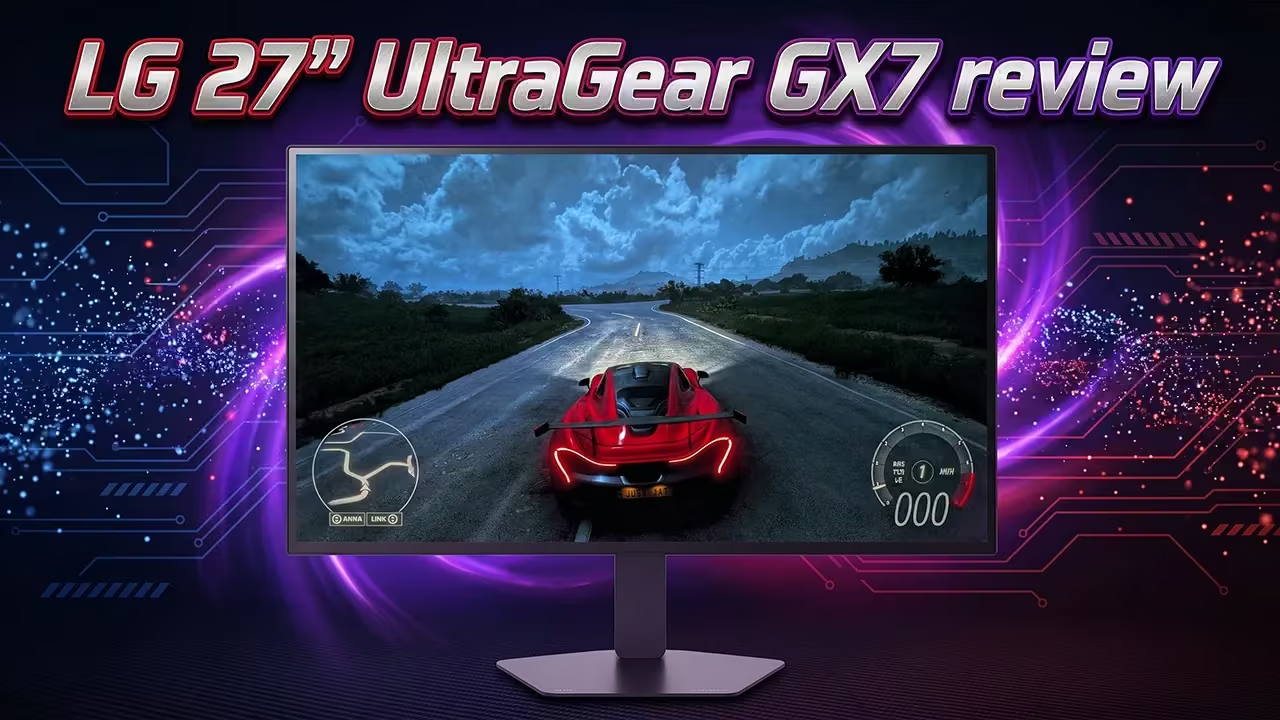
If you are a serious competitive gamer chasing every possible frame, the 27″ LG UltraGear GX7 OLED Dual-Mode Gaming Monitor (27GX790B) is engineered to push your rig to its absolute limit. Combining a 26.5-inch OLED panel with mind-bending refresh rates, this display bridges the gap between cinematic single-player immersion and esports-grade responsiveness.
What sets the UltraGear GX7 apart is its party trick: Dual-Mode switching. At the press of a hotkey, you can swap from a sharp QHD (2560×1440) resolution at 540Hz over to a blistering 720Hz HD (1280×720) resolution. Backed by an instant 0.02ms (GtG) response time, VESA DisplayHDR 500 True Black, and 99.5% DCI-P3 colour coverage, it virtually eliminates motion blur and input lag. Is this high-refresh gaming monitor right for your setup?
My Simple Take!
The LG UltraGear GX7 27GX790B is an awesome OLED display designed specifically for high-level competitive gamers. Its 540Hz QHD/720Hz HD Dual-Mode capability delivers fluid, tear-free gameplay that makes fast-paced first-person shooters feel effortless. You get all the classic benefits of OLED—ink-black contrast, popping colours, and zero-latency pixel response—alongside ergonomic adjustments, a clean cable-management system, and DisplayPort 2.1 connectivity. However, actually maxing out a 540Hz or 720Hz refresh rate requires a top-tier gaming PC, and even beefy modern rigs will need to rely on competitive settings or upscaling technologies to hit those frame caps.
Bottom line: it’s an absolute masterpiece for gaming, but overkill for casual use.

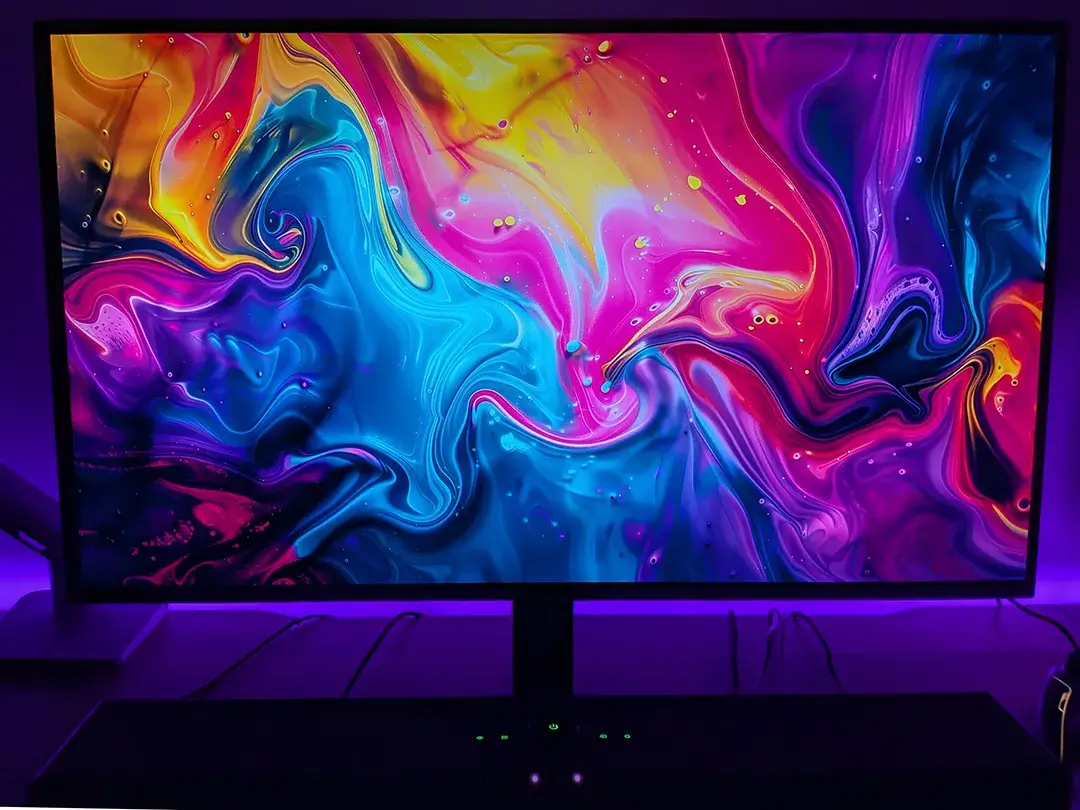
27″ LG UltraGear GX7 OLED Dual-Mode Gaming Monitor Specifications: The technical details
The 27″ LG UltraGear GX7 OLED Dual-Mode Gaming Monitor (27GX790B) we reviewed has the following features and specifications:
- Model number: 27GX790B
- Panel type: OLED
- Resolution: QHD (2560×1440)/HD (1280×720)
- Panel size: 26.5″
- Refresh rate: 540Hz (QHD); 720Hz (HD)
- Response time: 0.02ms (GtG)
- Aspect ratio: 16:9
- Brightness: 300cd/m² (min), 335cd/m² (typical)
- Colour Gamut: DCI-P3 94.0% (min); DCI-P3 99.5% (typical)
- Contrast ratio: 1200000:1 (min); 1500000:1 (typical)
- Viewing angle: 178º(R/L), 178º(U/D)
- Connectivity: DisplayPort 2.1, 2x HDMI 2.1, USB Type-C (DP alt), 2x USB 3.0, 4-pole headphone/microphone out
- VESA DisplayHDR: DisplayHDR 500 True Black
- Features: G-Sync Compatible, FreeSync Premium Pro, Reader Mode, Auto Input Switch, Colour Calibrated in Factory, Crosshair, FPS Counter, HDR Effect, Smart Energy Saving, Black Stabilizer, Dynamic Action Sync, HDR10, RGB LED Lighting, VRR
- AC Input: 100~240V (50/60Hz)
- Tilt: -5° ~ 21°
- Swivel: -30° ~ 30°
- Pivot: Clockwise
- Adjustable height: 110mm
- VESA mount: 100 x 100
- Dimensions (with stand): 605.2 x 527.6 x 220mm (Up)/605.2 x 397.6 x 220mm (Down)
- Dimensions (without stand): 605.2 x 351.0 x 51.2mm
- Weight: 6.8kg (with stand); 4.3kg (without stand)
- Warranty: 2-year warranty
What’s in the box
- 27″ LG UltraGear GX7 OLED Gaming Monitor (27GX790B)
- Adjustable height/tilt stand
- Cable management stand clip
- Power adapter
- USB-C to USB-C cable*
- HDMI cable*
- DisplayPort cable*
- Product guide and information pamphlets
*NOTE: included cables vary by country
LG UltraGear GX7 Design: Thin bezels, hexagon lighting, and full ergonomic adjustability
The 27″ LG UltraGear GX7 OLED Gaming Monitor has fairly thin physical bezels which measure 1/16″ on all four sides. Once you factor in the panel bezels, you’re looking at roughly 3/8″ all around. The monitor itself is 23 7/8″ across, 13 7/8″ in height, and roughly 2″ thick. With the stand attached, you’ll need about 7″ of space, although the stand base slides easily underneath a keyboard, reducing the space needed by a couple of inches.
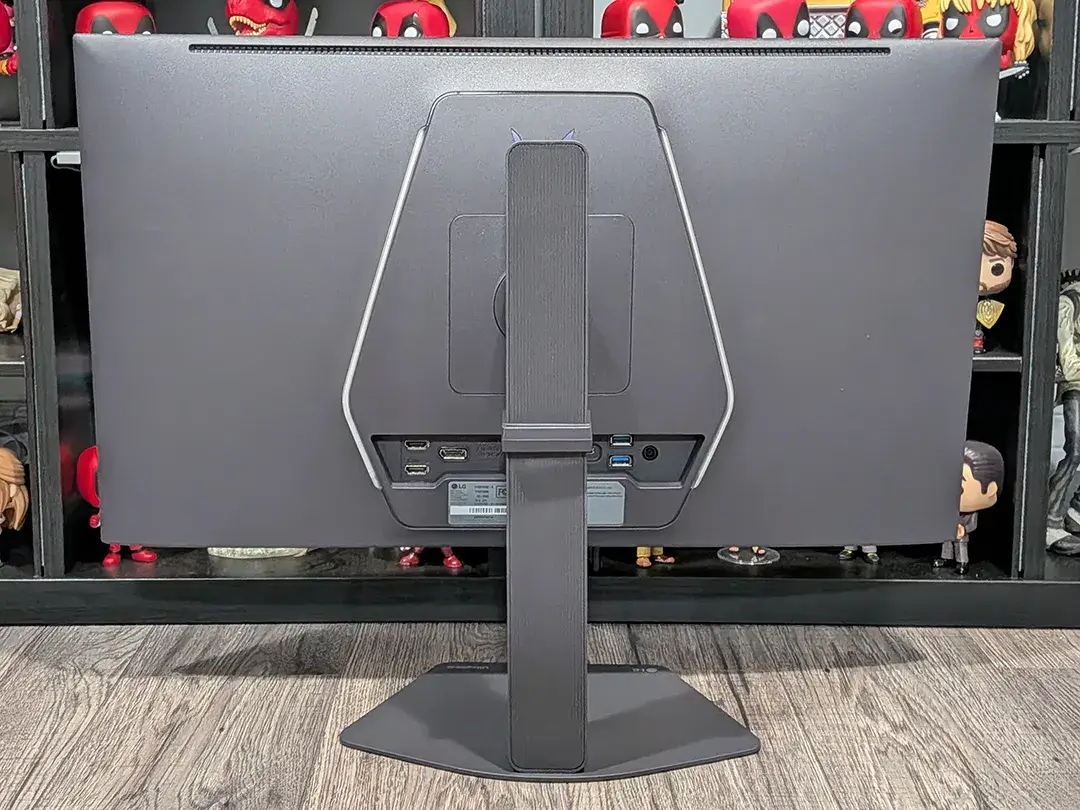
The panel itself is relatively thin, as is the case with OLED displays; however, the monitor does bulge out towards the back in the middle. The display panel is attached to a rectangular-shaped back. The top edge has vents for heat dissipation, while the left and right angled edges have LED light bars. The monitor stand attaches to the middle of these, towards the top and the ports are located just below this. The stylized LG gaming logo is located just above the back piece, centred near the top of the display panel.
From left to right, the ports on the back of the UltraGear GX7 monitor include HDMI 1/HDMI 2 (both 2.1 spec), DisplayPort 2.1, USB-C (DP Alt mode), two USB-A, and a barrel-shaped DC-in for power. On the underside of the front edge is the power/menu joystick button, centred, with the Dual-Mode button to the left. The 3.5mm audio jack is also located on the underside.
The monitor stand allows you to adjust the height of the monitor from between 15 1/4″ and 20 5/8″, tilt between -5º and +21º, and swivel: ±30º. Combined, these three adjustments allow you to set up the monitor and angle the display to suit your needs. In addition, you can also pivot the screen clockwise.
Once set up and connected, you can snap a cable management piece onto the back of the stand to keep your power and connection cables neat, tidy, and nearly invisible from the front. The base of the stand is flat, thin, and pentagon-shaped with the LG logo printed on the front left and the UltraGear wordmark on the front right.
Assembly: Tool-free assembly and VESA mounting
The 27″ LG UltraGear GX7 OLED Gaming Monitor is a snap to set up. All one has to do is slide it into the receptacle on the back of the monitor, then push it down gently until one hears a click. Once that is done, the stand base can be attached to the stand with a screw at the bottom where the feet join.
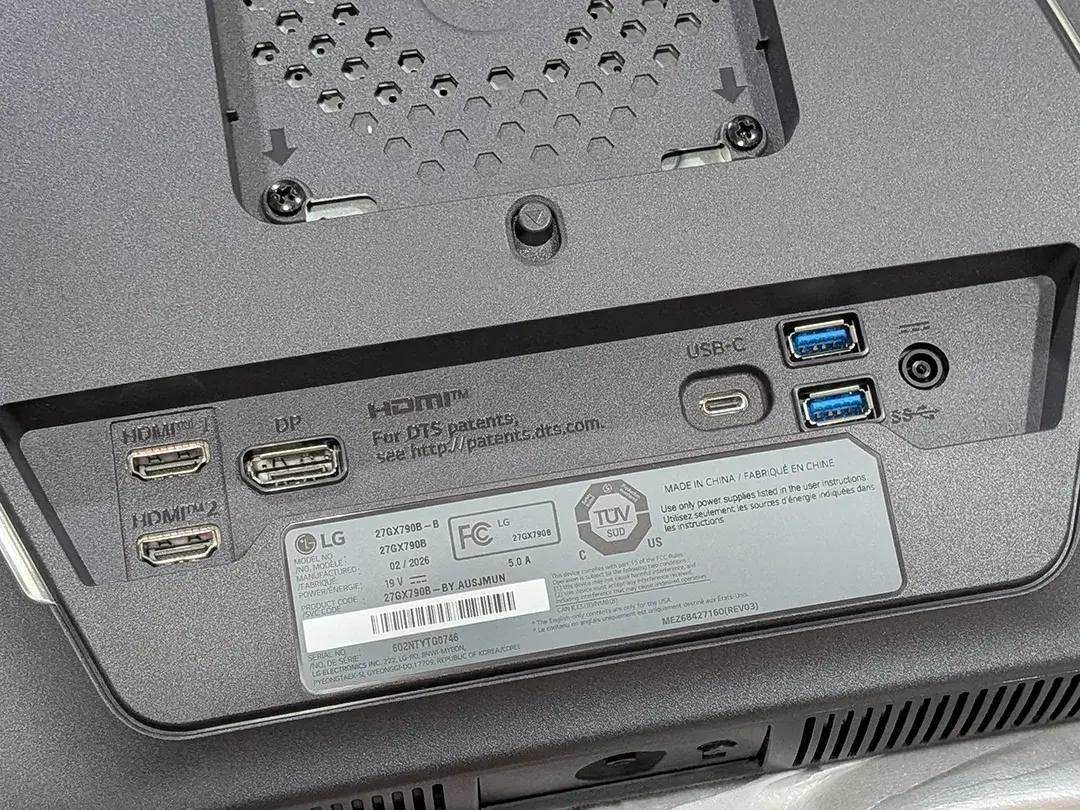
Disassembly is just as easy. Simply remove the feet by loosening the screw, then press the button just under where the stand attaches to the back of the monitor, and it will pop free.
Alternatively, you can use a compatible 100×100 VESA mount to secure the monitor to a monitor arm.
Ease of Use: Navigating the LG UltraGear GX7 OSD menu
As with most monitors, the 27″ LG UltraGear GX7 OLED Gaming Monitor is relatively easy to use. The power button is used to turn on the monitor and to access the on-screen menu. Some of the features you can access and modify from the power/menu button include:
- Game Adjust: Game Mode, Dual-Mode, Adaptive-Sync, Black Stabilizer, Crosshair, FPS Counter, and Game Reset
- Picture Adjust: Brightness, Brightness Level, Contrast, Sharpness, Gamma, Colour Temp, R/G/B, SixColourr, Black Level, and Picture Reset
- Sound: DTS Headphone:X and Volume
- Input: Input List, Aspect Ratio, and Auto Input Switch
- General: Language, OLED Screen Saver, OLED Image Cleaning, USB-C Option, Hexagon Lighting, User-defined Key 1, User-defined Key 2, SMART ENERGY SAVING, Deep Sleep Mode, Automatic Standby, Input Compatibility Version, Buzzer, OSD Lock, Screen Self-diagnosis, Information, Open Source Software License, and Reset to Initial Settings
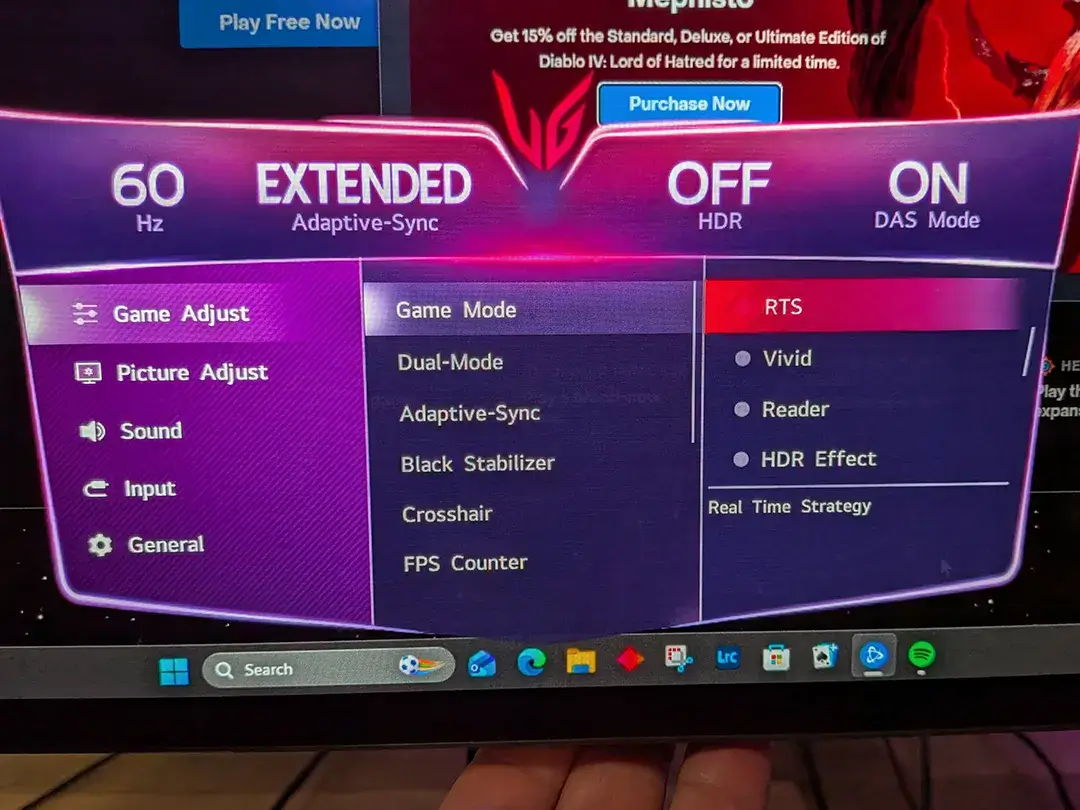
As with most monitors, all you need to do is poke around the menus a bit to find the setting you want to adjust, then select the option you desire.
Display: Deep blacks and OLED visuals
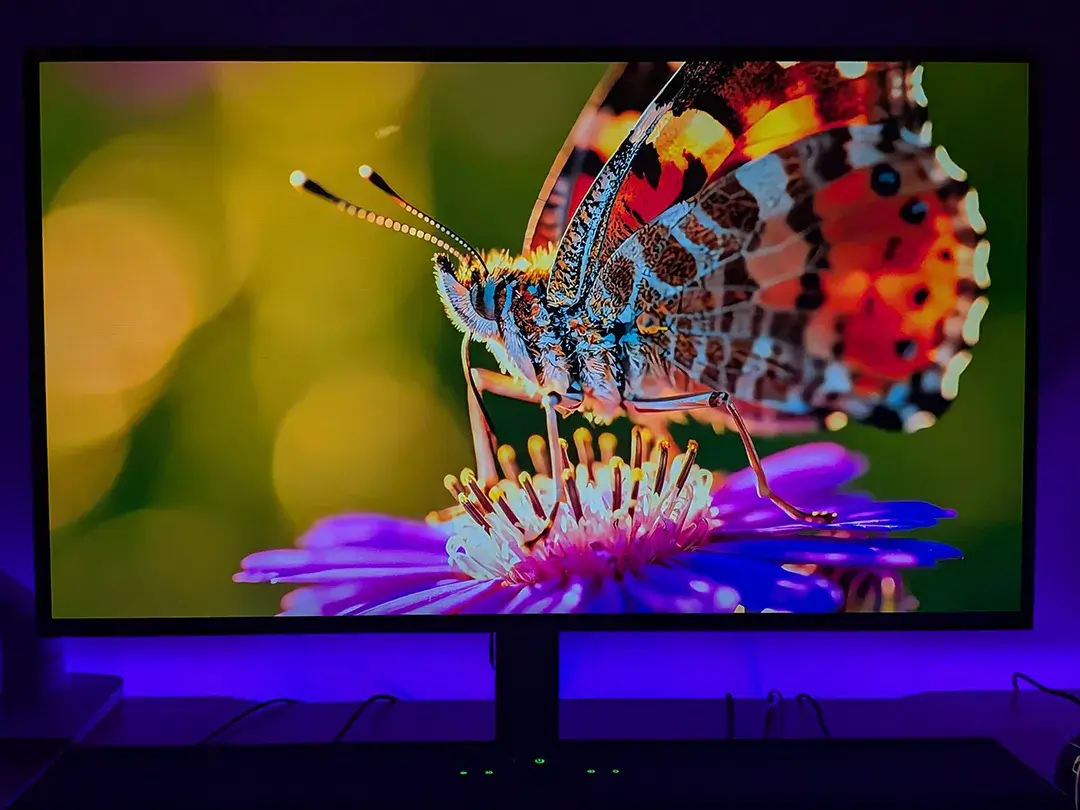
As with OLED panels, the colours on the 27″ LG UltraGear GX7 OLED gaming monitor are bright and vibrant, with deep blacks. The 99.5% DCI-P3 coverage is solid as well, and the various HDR and game modes do a good job of changing different display settings depending on the type of game you are playing.
There are also various built-in Game Modes including Personalized Picture, Gamer 1, Gamer 2, FPS, RTS, Vivid, Reader, HDR Effect, sRGB, DCI-P3 Colour, Weakness, Max Brightness, Calibration 1, and Calibration 2 so that you can fine-tune the display to your personal preference. Furthermore, you can adjust and toggle the brightness, contrast, sharpness, colour temperature, R/G/B, six colour, and black levels while gaming for an even more personalized picture.
As this is a gaming monitor, our scoring reflects that. However, if you plan to use it for day-to-day office work as well, the display suffers from text artifacts. While not the end of the world, it can be distracting, especially with dark text on a light background. That said, you can adjust the settings to better suit everyday desktop use and apply them instantly with the LG Switch app.
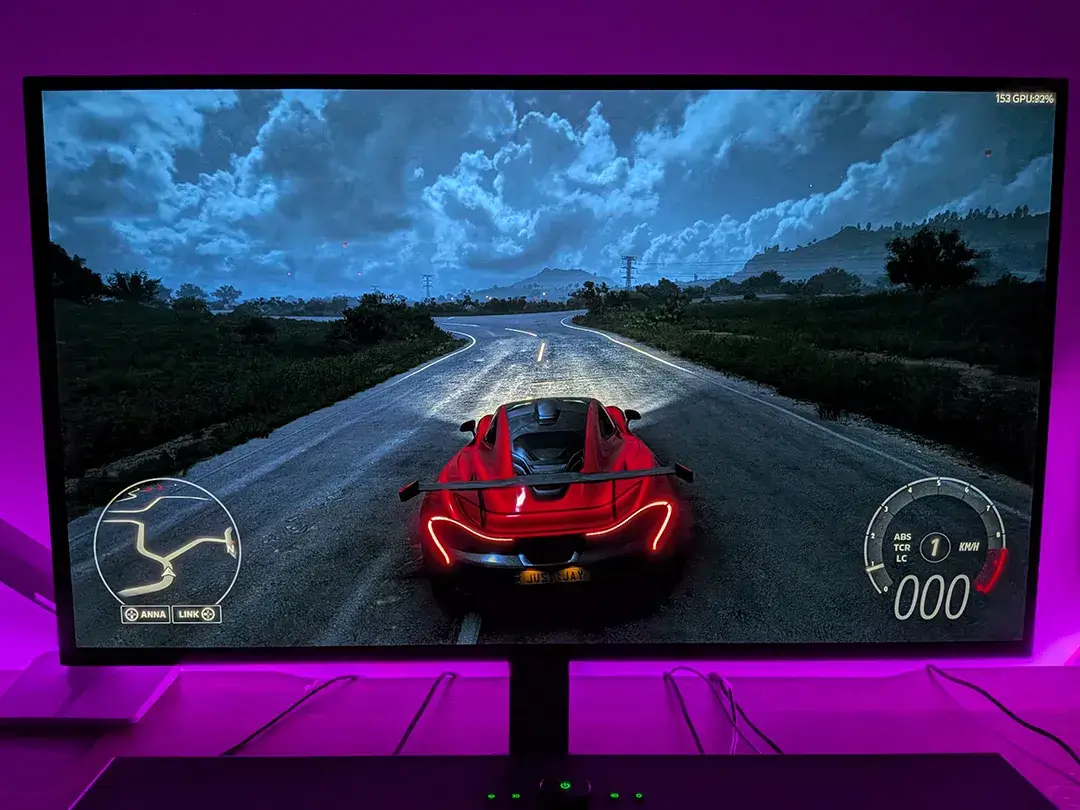
Something to keep in mind: while I tested this in a relatively darkened basement, the typical 335 cd/m² peak SDR brightness can be overpowered by direct glare.
Built-in burn-in prevention: OLED care & screen cleaning features
Burn-in is a consideration with OLED panels, although it is becoming less of a concern with newer models. As one would suspect, burn-in could be considerably more of a factor on an OLED computer monitor considering you have a Windows taskbar, desktop icons, and more elements that don’t consistently move. LG has enabled a couple of features on the 27″ LG UltraGear GX7 OLED Dual-Mode Gaming Monitor to help minimize burn-in. The OLED Screen Saver feature allows you to set the monitor to turn off if there is no change on the screen for a set time period. The second, OLED Image Cleaning, starts a screen restoration that takes up to 10 minutes to complete, providing the clearest image.
As I had limited time with the UltraGear GX7 monitor, I did try both, and they seemed to run as intended, but only long-term use will tell how effective these features actually are.
Performance: Testing 540Hz QHD vs. 720Hz HD Dual-Mode
I had no issues with the monitor’s performance when using the 27″ LG UltraGear GX7 OLED Gaming Monitor. It turned on pretty quickly, and accessing the menu or changing settings on the fly was as one would expect. Gaming was also a treat with its 540Hz refresh rate, QHD resolution, and 0.02ms GtG response time. Dual-mode switching takes a few seconds, but to be honest, I didn’t really notice much difference between the 540Hz/QHD and 720Hz/HD resolutions when playing various games. When combined, these features make gameplay smooth, and I encountered no stuttering or screen tearing.
As far as actual gaming performance is concerned, a decent mid-range rig will be fine, but a high-end rig is required to take full advantage of high refresh rates even at HD graphics settings. When tested on a (slightly older but beefy) gaming PC with a 12th Generation Intel® Core™ i9-12900K processor with liquid cooling, a 2 TB PCIe® NVMe™ M.2 Solid State Drive, an NVIDIA® GeForce RTX™ 3090 graphics card with 24 GB GDDR6X dedicated memory, and HyperX® 64 GB DDR4-3733 MHz XMP Heatsink RAM, here are the average framerates for the games I tested on their highest graphics quality settings at QHD resolution:
- Call of Duty: Warzone: 104 fps
- Dirt 5: 152 fps
- Forza Horizon 6: 78 fps
- Forza Motorsport: 86 fps
- Gears Tactics: 144 fps
- Middle-Earth: Shadow of War: 173 fps
- Tomb Raider: 297 fps
Compare those with the highest graphics quality settings at HD resolutions on the UltraGear GX7:
- Call of Duty: Warzone: 183fps
- Dirt 5: 214 fps
- Forza Horizon 6: 144 fps
- Forza Motorsport: 158 fps
- Gears Tactics: 228 fps
- Middle-Earth: Shadow of War: 250 fps
- Tomb Raider: 510 fps
As you can see, even with a pretty beefy rig, you’re not even coming close to getting 540 (or even 720) fps to match the refresh rate on most games at their highest settings when gaming at either QHD or HD resolution. However, the framerates are still fantastic for smooth gameplay, and settings can be tweaked to achieve higher framerates, albeit at the expense of image quality.
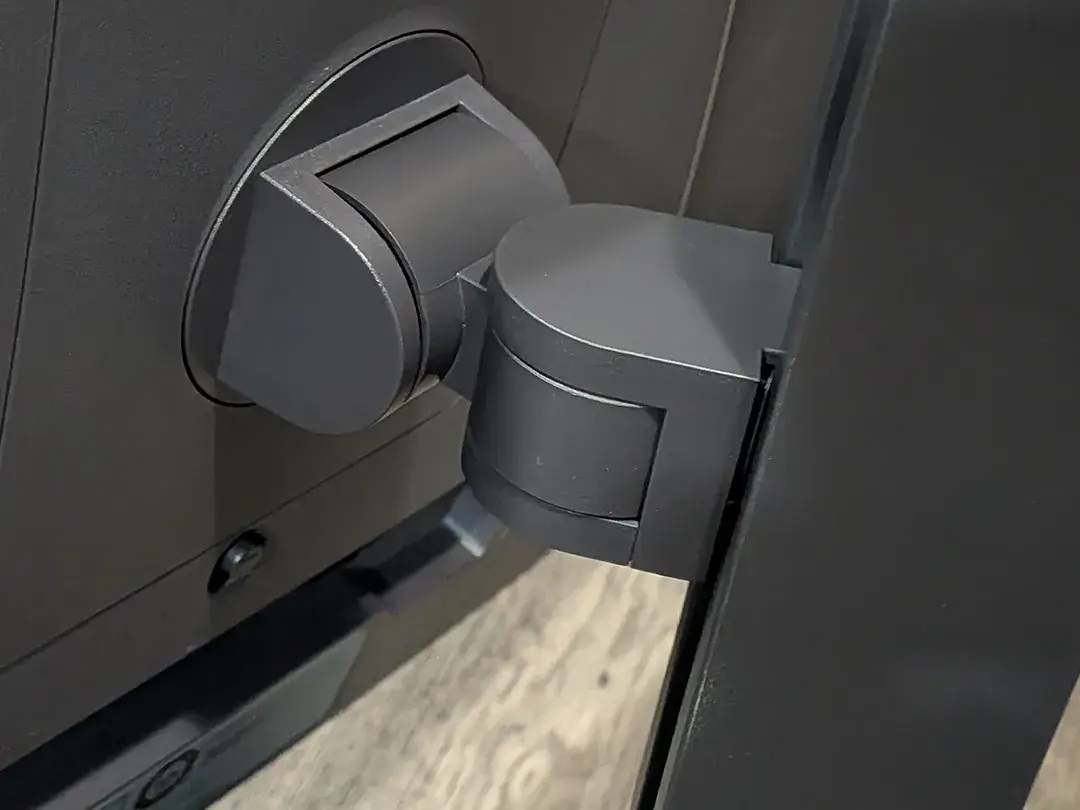
There are also some display settings you can adjust on the monitor itself for gaming, including VRR, Black Stabilizer, Crosshair, and FPS Counter, to help you get the most out of your gaming experience.
Sound Quality: DTS Headphone:X
While the 27″ LG UltraGear GX7 OLED Gaming Monitor doesn’t have built-in speakers, it does have a 3.5mm audio jack on the underside of the front. If you use the 3.5mm audio jack, you can enable DTS Headphone:X through the monitor’s settings control panel. When enabled, you can choose between Game, Entertainment, and Sports mode for better audio.
As the monitor doesn’t have built-in speakers, I won’t be scoring this section, but I thought the DTS Headphone:X support is worth mentioning.
Price/Value: Is this high-refresh OLED worth it?
So, the real question is, does this 27″ OLED Dual-Mode Gaming Monitor provide value for the price? For casual gamers, it can be a tough sell, but if you play a lot of first-person shooters, it can help give you a leg up on the competition with its high refresh rate and low response time. With low input lag and fast response time, it does have a very responsive feel while playing in fast-paced games — as long as you’re set up in a relatively dark area with little outside or ambient light due to the lower peak brightness.
The L27″ LG UltraGear GX7 OLED Gaming Monitor (27GX790B) retails for $1,299.99 CAD on LG’s website. On that note, it is currently on sale for $929.99, which makes it a much better deal. It is also available on Amazon at its current sale price.
Should you buy it? The Verdict!
Buy it if:
- You play competitive FPS or esports titles: If you grind Valorant, Counter-Strike, Call of Duty, or Apex Legends, the 540Hz/720Hz Dual-Mode and 0.02ms response time provide a legitimate, noticeable advantage in motion clarity and target tracking.
- You have a high-end PC built for high framerates: To truly reap the benefits of this monitor, you need a powerful CPU/GPU combo capable of pushing hundreds of frames per second.
- You want OLED contrast without sacrificing speed: You no longer have to choose between rich, HDR-ready colours (99.5% DCI-P3) and esports-level refresh rates.
Skip it if:
- You primarily work with text or spreadsheets: Sometimes there are subtle text artifacts in static documents, making them distracting during all-day office productivity.
- You play casually on a mid-range PC: If your system struggles to push past 120–144 FPS in modern titles at 1440p, you won’t benefit from the extreme refresh rate headroom this monitor offers.
- You play in a brightly lit room: While the OLED contrast is stunning in dim or dark environments, its typical 335 cd/m² brightness can get overpowered by heavy ambient light or direct glare from windows.
FAQ: What to know!
How does the Dual-Mode feature work on the LG 27GX790B?
Dual-Mode switching lets you switch the UltraGear GX7 gaming monitor’s native display output at the press of a dedicated hotkey on the monitor’s underside. You can toggle between two primary performance profiles:
- QHD (2560×1440) at 540Hz: Best for high-resolution clarity and immersive gameplay.
- HD (1280×720) at 720Hz: Designed for maximum frame rates and esports responsiveness.
Do I need a high-end PC to use this monitor?
Yes, if you want to take full advantage of the maximum refresh rates. While a mid-range PC will work fine for general gaming, achieving 540 FPS at 1440p or 720 FPS at 720p requires a top-tier CPU-GPU combination. Even with high-end hardware, modern demanding games will often require you to lower graphics settings or use upscaling technologies (like DLSS or FSR) to reach the monitor’s frame caps.
Is the LG UltraGear GX7 27GX790B good for everyday office work?
It is primarily designed for gaming and is considered overkill for casual desktop use. You may notice slight text fringing or subtle artifacts on static documents—especially when viewing dark text on a light background. While you can adjust settings via the LG Switch app to improve desktop usability, the LG UltraGear GX7 remains best suited as a dedicated gaming display.
What features does LG include to prevent OLED burn-in?
LG includes two built-in OLED Care features to help mitigate burn-in from static elements (like desktop icons, HUDs, and the Windows taskbar):
- OLED Screen Saver: Automatically turns off the display if there is no change on the screen for a set period.
- OLED Image Cleaning: A screen restoration cycle that takes up to 10 minutes to run, refreshing the pixels to maintain optimal image clarity.
Does the monitor have built-in speakers?
No, the LG UltraGear GX7 27GX790B does not feature built-in speakers. However, it includes a 3.5mm audio jack on the front underside and supports DTS Headphone:X spatial audio. When plugging headphones directly into the monitor, you can enable DTS Headphone:X through the OSD menu and switch between dedicated Game, Entertainment, and Sports audio modes.
What display ports and connections are available?
The rear connectivity panel features:
- 1x DisplayPort 2.1
- 2x HDMI 2.1
- 1x USB Type-C (DP Alt Mode)
- 2x USB 3.0 (Type-A downstreams)
- 4-pole Headphone/Microphone out (3.5mm)
Is the monitor stand adjustable, or can I mount it on an arm?
Yes, the included stand offers full ergonomic adjustability:
- Height: 110mm of travel (from 15 1/4″ to 20 5/8″ total height)
- Tilt: -5° to +21°
- Swivel: -30° to +30°
- Pivot: Clockwise 90-degree rotation
If you prefer to use a third-party monitor arm, the display supports a standard 100 x 100 VESA mount.
What is the brightness and colour performance of the OLED panel?
The LG UltraGear GX7 monitor carries a VESA DisplayHDR 500 True Black rating, with a typical brightness of 335 cd/m² (minimum 300 cd/m²). For colours, it covers 99.5% of the DCI-P3 colour gamut (typical) with an ink-black contrast ratio of 1,500,000:1, delivering bright, vibrant colours and true blacks. Due to OLEDs’ lower peak SDR brightness, they perform best in dimly lit rooms without heavy ambient glare.