Every time you open a website, launch an app, or turn on a connected device, something happens in the background. Your device may need to look up a domain name before it can connect.
Most people never think about that process. I think they should.
Those lookups can reveal useful information about the services your devices contact. Meanwhile, advertisers, analytics companies, and other trackers are constantly looking for ways to collect information.
I wanted more control over those connections without making my home network difficult to use.

That’s why I built my NextDNS zero-log setup around two separate configurations: Home and Mobile.
The idea is straightforward. Block unwanted connections, reduce unnecessary tracking, and avoid storing a history of my DNS queries. At home, I also need streaming, gaming, and connected devices to work properly. On mobile, I’m willing to apply stricter rules.
This isn’t about making myself invisible online. It’s about deciding which connections deserve access to my devices.
Why I Stopped Treating DNS as an Afterthought
DNS stands for Domain Name System. Think of it as the internet’s address book.
When you type a website address into your browser, your device often asks a DNS resolver to find the server associated with that domain.
Traditionally, many people use the DNS servers supplied by their internet service provider. Those servers resolve addresses, but their privacy practices and filtering capabilities vary.
The bigger issue for me is control.
I don’t want to depend entirely on someone else’s default settings to determine which domains my devices can contact.
I also don’t want every ordinary DNS lookup stored in a dashboard just because logging is available.
That’s where NextDNS comes in.
It provides configurable DNS filtering for security threats, advertising networks, trackers, and other unwanted domains.
Instead of changing the settings on every website, I can apply rules when a DNS request is made.
What NextDNS Does Before a Website Loads
Imagine opening an application that connects to several services.
One connection might be necessary for the app to function. Another might send analytics. A third could contact an advertising network.
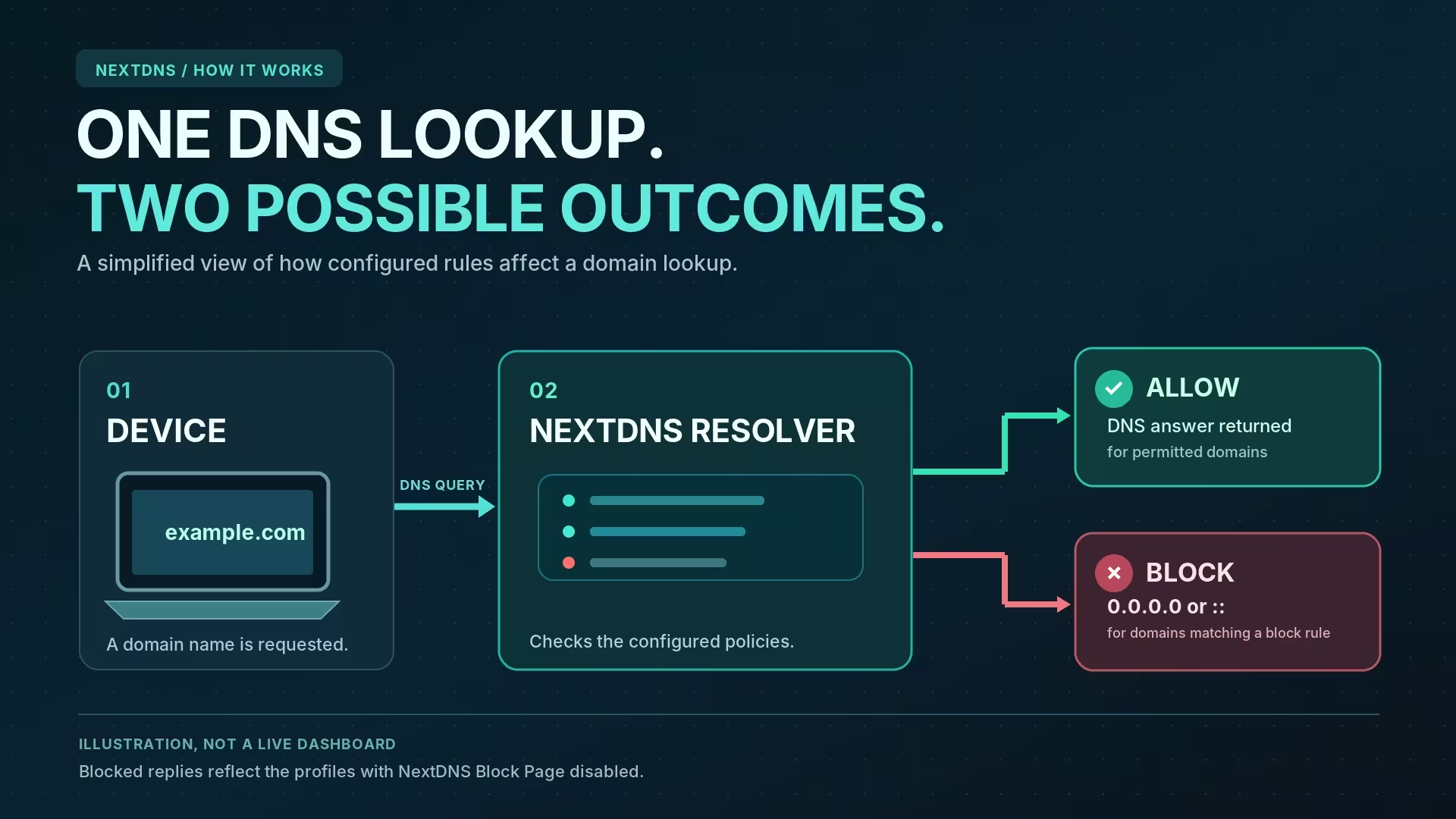
With NextDNS, I can create rules that allow or block those domains.
If a requested domain matches an active blocking rule, NextDNS can refuse to return its normal address.
That doesn’t mean the application has been cleaned of every tracking feature. It means that particular DNS-based connection has been blocked.
NextDNS also supports encrypted DNS protocols, including DNS-over-HTTPS and DNS-over-TLS.
With encrypted DNS properly configured, ordinary network observers cannot simply read the DNS questions travelling between my device and the resolver.
But this encryption only protects the DNS exchange. It doesn’t hide my public IP address from the websites I visit or encrypt every other part of my internet connection.
For me, it’s one layer of a larger privacy strategy.
One Network, Two Security Profiles
The most useful part of my setup isn’t one aggressive blocklist.
It’s the decision to use different rules for different environments.
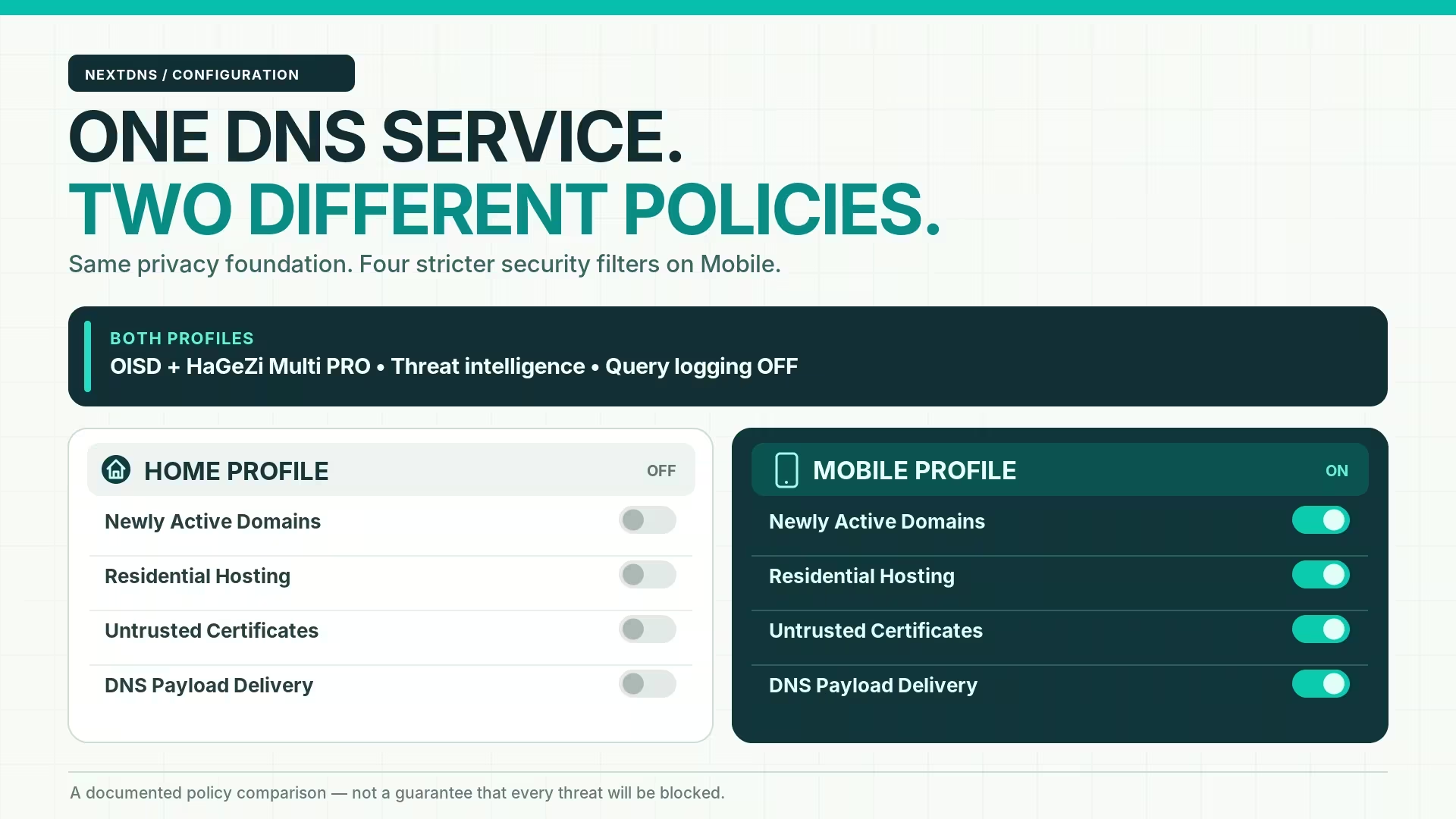
My Home profile needs to coexist with streaming services, IPTV, gaming, and smart devices. My Mobile profile takes a stricter approach to potentially suspicious domains.
Both share a strong security foundation. The difference is how much disruption I’m prepared to accept.
Home: Protected Without Breaking Everything
At home, I use services and devices that need reliable connections.
That includes desktop gaming, connected household equipment, and IPTV services such as VMedia.
Some legitimate services rely on newly created domains, shared infrastructure, or complicated delivery networks.
Blocking everything that looks unusual can create problems without necessarily making the network safer.
My Home profile therefore keeps the main protections enabled, including threat intelligence, phishing protection, suspicious domain detection, and tracker blocking.
However, I leave several more aggressive experimental controls disabled.
That includes Newly Active Domains, Residential Hosting, Untrusted Certificates, and DNS Payload Delivery.
My infrastructure audit describes this configuration as stable during normal use. That’s my reported experience, not a guarantee that another household will get identical results.
Mobile: Stronger Filtering Outside My Network
Mobile devices regularly move between networks.
A phone might use home Wi-Fi in the morning, a coffee shop’s network later, and cellular service on the way home.
I don’t want my DNS security rules to disappear every time the connection changes.
My Mobile profile adds four security controls that are disabled in Home:
- Newly Active Domains: Restricts domains with little established activity or a limited history.
- Residential Hosting: Blocks domains resolving to residential IP ranges under NextDNS’s classification.
- Untrusted Certificates: Targets domains associated with certificates that NextDNS considers untrusted.
- DNS Payload Delivery: Limits certain DNS response data patterns that can be used to carry unwanted payloads.
Several of these features are marked Early Access.
That matters. New security controls may improve detection, but they can also block legitimate services.
I accept that trade-off more readily on my Mobile profile than on the home network supporting entertainment and connected devices.
For anyone who travels with multiple devices, a compact router like the GL.iNet Beryl AX offers another way to manage encrypted DNS connections. It supports configurable DNS settings, including NextDNS, making it worth considering for a portable network setup.
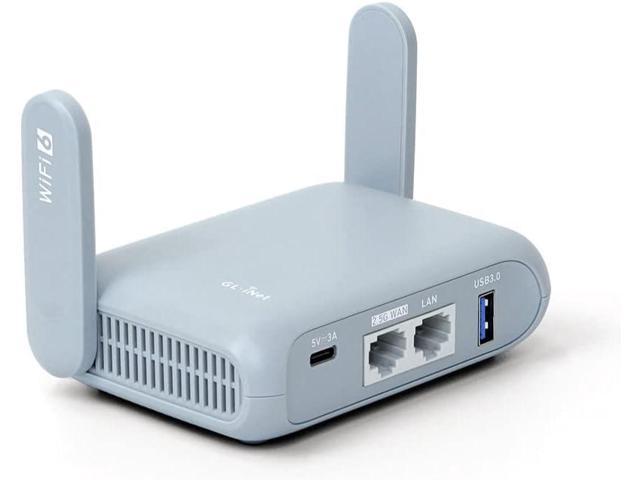
GL. iNet GL-MT3000 (Beryl AX) Pocket-Sized Wi-Fi 6 Wireless Travel Gigabit RouterOpenVPN, Wireguard, Connect Public & Hotel Wi-Fi, Captive Portal,...
For readers looking at other layers of smartphone protection, CRYOVEX has also covered apps aimed at improving mobile security.
Inside My NextDNS Configuration: Every Security and Privacy Setting Explained
One thing I’ve learned about network security is that turning on every available protection isn’t always the best approach.
Some settings block well-known threats. Others look for unusual behaviour that might be malicious. The difference matters because legitimate websites and applications sometimes use the same infrastructure that attackers abuse.
My NextDNS setup uses both approaches. I keep the main security protections active across Home and Mobile, while reserving certain stricter filters for my mobile devices.
Here’s what each setting does, what it can protect against, and how it fits into my configuration.
My Privacy Settings: Blocking Unwanted Connections
I start with privacy because security isn’t only about stopping malicious websites. It’s also about limiting the information that ordinary applications and connected devices send to outside services.
1. OISD — Blocking Ads and Trackers Without Excessive Breakage
Home: Enabled | Mobile: Enabled
OISD is a maintained DNS blocklist designed to prevent connections to domains associated with advertising, tracking, malware, and other unwanted activity.
What interests me about OISD is its focus on compatibility. The project aims to block unwanted connections while preserving legitimate functionality.
That makes it a practical foundation for my Home profile, where IPTV, gaming, and other services need to work reliably.
I also use it on Mobile for the same baseline filtering.
Why I use it: I want broad ad and tracker blocking without automatically sacrificing the services I use every day.
OISD isn’t perfect, and no blocklist catches everything. However, its compatibility-focused approach fits the balance I’m trying to maintain.
2. HaGeZi Multi PRO — Adding a Broader Privacy Filter
Home: Enabled | Mobile: Enabled
HaGeZi Multi PRO adds another layer of protection against advertising, trackers, telemetry, phishing, malware, fake websites, scams, and cryptojacking domains.
The project’s maintainer describes Multi PRO as a balanced option with a relatively low risk of breaking legitimate services compared with more aggressive filtering options.
That’s important. I want stronger filtering, but I don’t automatically consider the most aggressive available blocklist the best choice.
Multi PRO also covers some application error-reporting and tracking services that less aggressive lists may leave available.
Why I use it: It complements my privacy-first approach by expanding the categories of unwanted domains that can be filtered.
There is overlap between HaGeZi and OISD. Using both doesn’t double my protection, and I haven’t measured the additional coverage provided by combining them. I use the pairing as a practical filtering policy rather than a numbers game.
3. Native Tracking Protection — Controlling Device Telemetry
Home: Enabled | Mobile: Enabled
Not every tracker comes from a website.
Operating systems, smart televisions, voice assistants, and other connected devices may contact analytics and telemetry services in the background.
NextDNS provides Native Tracking Protection for several device ecosystems.
My configuration includes all eight categories shown in the dashboard:
| Device ecosystem | What the protection targets |
|---|---|
| Windows | Known tracking and telemetry-related domains used by Windows services |
| Apple | Tracking-related connections associated with Apple devices and services |
| Samsung | Known telemetry and tracking domains in Samsung’s device ecosystem |
| Xiaomi | Tracking-related services associated with Xiaomi devices |
| Huawei | Known tracking and telemetry endpoints associated with Huawei |
| Alexa | Selected tracking-related connections used by Alexa-enabled devices |
| Roku | Known tracking domains associated with Roku devices |
| Sonos | Selected tracking and telemetry-related connections in the Sonos ecosystem |
Enabling these categories doesn’t mean every connection from those companies is blocked.
Instead, NextDNS applies its selected lists of tracking-related domains.
Why I use it: I don’t want privacy protection limited to whatever happens inside a web browser. Connected devices deserve attention too.
Some blocked telemetry can support diagnostics, device insights, or other legitimate functions. That makes compatibility testing important, especially with smart-home devices.
4. Block Disguised Third-Party Trackers — Detecting Hidden Tracking Connections
Home: Enabled | Mobile: Enabled
Some tracking companies disguise their connections to make them appear as though they belong to the website being visited.
One method involves CNAME records, which can make a tracking service appear under a subdomain associated with the original website.
NextDNS can identify and block certain disguised third-party trackers.
Why I use it: I want to reduce tracking techniques designed to get around browser-level privacy protections.
This adds coverage beyond ordinary domain blocklists, although it cannot identify every tracking method.
It can also cause compatibility problems when legitimate functionality depends on a domain identified as a disguised tracker.
5. Allow Affiliate & Tracking Links — Disabled by Choice
Home: Disabled | Mobile: Disabled
Affiliate links often redirect visitors through a tracking domain before sending them to the intended destination.
This is common with shopping referrals, cashback programs, advertising campaigns, and links in promotional emails.
NextDNS provides an option to allow these links, and its dashboard states that it can hide the user’s IP address from those intermediary sites when the feature is enabled.
I’ve chosen to leave the option disabled.
Why I leave it disabled: My preference is to avoid unnecessary tracking redirects rather than automatically permitting them for convenience.
That doesn’t mean every affiliate link is dangerous. It also means some legitimate shopping referrals or cashback offers may fail.
For me, that’s an acceptable trade-off.
My Core Security Settings: Stopping Known and Emerging Threats
My security configuration starts with threat detection.
Rather than relying on one source of information, I use several NextDNS protections that identify known malicious destinations and suspicious domain patterns.
6. Threat Intelligence Feeds — Blocking Known Malicious Infrastructure
Home: Enabled | Mobile: Enabled
Threat intelligence feeds contain information about domains associated with malware, phishing, and malicious command-and-control infrastructure.
A command-and-control server is a system attackers may use to communicate with compromised devices.
NextDNS uses a collection of intelligence sources to help identify and block these destinations.
Why I use it: I want known malicious domains blocked before my devices establish connections with them.
This is one of my baseline protections across both profiles.
The limitation is that reputation information can be incomplete or incorrect. A brand-new malicious domain may not have been identified yet, while a legitimate domain can occasionally be misclassified.
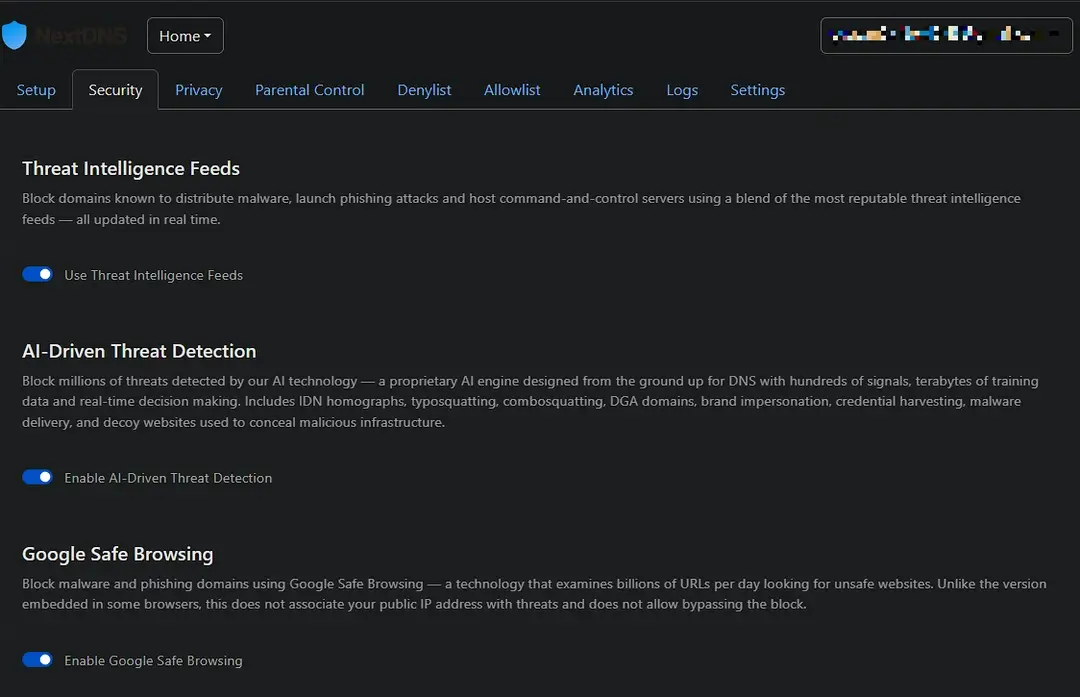
7. AI-Driven Threat Detection — Looking Beyond Known Blocklists
Home: Enabled | Mobile: Enabled
Traditional threat intelligence often depends on domains already identified as suspicious.
NextDNS’s AI-Driven Threat Detection uses its own detection technology to identify patterns associated with malicious infrastructure.
According to NextDNS, these include domain impersonation, credential harvesting, suspicious generated domains, and other attack techniques.
Why I use it: I want an additional detection layer that doesn’t depend entirely on a domain appearing on an existing blocklist.
I treat this as a supplementary security control, not proof that NextDNS can detect every new threat.
NextDNS describes the technology as AI-driven, but I don’t have independent detection-rate results for my configuration.
8. Google Safe Browsing — Additional Malware and Phishing Protection
Home: Enabled | Mobile: Enabled
Google Safe Browsing is a threat-detection system associated with identifying unsafe web destinations.
NextDNS integrates Google Safe Browsing information into its DNS filtering.
The goal is to block domains associated with phishing, malware, and other unsafe activity.
Why I use it: It provides another source of threat information alongside NextDNS’s own feeds and detection systems.
My configuration uses it as an additional filter, not a replacement for browser protections.
Also, DNS filtering cannot inspect every individual web page or malicious URL hosted under an otherwise legitimate domain.
9. Newly Registered Domains — Treating Very New Domains With Caution
Home: Enabled | Mobile: Enabled
NextDNS can block domains registered less than 30 days ago.
Attackers sometimes register disposable domains for phishing campaigns, malicious redirects, and malware delivery.
Blocking recently registered domains can reduce exposure to those destinations before they establish a history.
Why I use it: I prefer to restrict domains with very little established history rather than automatically trust them.
There is a trade-off. A newly launched business, website, or legitimate service can also use a brand-new domain.
This is a preventive policy, not evidence that every domain registered within the last month is unsafe.
10. Newly Active Domains — A Stricter Rule for Mobile
Home: Disabled | Mobile: Enabled
A domain doesn’t have to be newly registered to become suspicious.
Attackers can use older domains with little previous activity, including domains that have remained dormant for a long time.
NextDNS’s Newly Active Domains feature targets domains with very limited or newly emerging activity.
Unlike Newly Registered Domains, the focus is activity history rather than registration age.
Why I use it differently: My Mobile profile is designed to apply stricter checks to less-established destinations.
I leave this Early Access feature disabled at home to reduce the chance of disrupting legitimate services that use unfamiliar or low-traffic domains.
My Infrastructure Security Settings: Restricting Risky Hosting Patterns
Some attacks rely on infrastructure rather than obviously suspicious website names.
NextDNS includes controls that classify hosting services, tunnels, certificates, and data-transfer mechanisms.
These are useful to understand because the same services can support entirely legitimate applications.
11. Free Hosting Domains — Limiting Disposable Web Infrastructure
Home: Enabled | Mobile: Enabled
Free hosting platforms make it easy for developers and businesses to publish websites.
Examples include default subdomains under pages.dev, vercel.app, and netlify.app.
Attackers can also use these platforms to host phishing pages or quickly replace malicious destinations.
NextDNS’s setting blocks selected default free-hosting subdomains while leaving custom domains outside that specific restriction.
Why I use it: It reduces access to a category of easily created web destinations that attackers can exploit.
The downside is significant for developers and everyday users who rely on legitimate free-hosted projects.
I wouldn’t recommend this setting universally without checking those dependencies.
12. Dynamic DNS Hostnames — Reducing Exposure to Easily Changed Destinations
Home: Enabled | Mobile: Enabled
Dynamic DNS services allow a hostname to follow an IP address that changes over time.
They’re useful for remote access, home servers, and other legitimate network services.
Attackers can also use them to maintain reachable infrastructure while changing the systems behind it.
Why I use it: I want to reduce access to suspicious infrastructure that relies on these dynamic hostname services.
This control isn’t appropriate for everyone.
Anyone using Dynamic DNS for remote access should evaluate the effect before enabling it.
13. Tunnelling Endpoints — Restricting Public Access Tunnels
Home: Enabled | Mobile: Enabled
Services such as ngrok and Cloudflare Tunnel can make privately hosted applications accessible through public endpoints.
Developers and administrators use these tools for remote access, testing, and application delivery.
Attackers can also abuse tunnelling services to expose phishing pages or conceal underlying systems.
NextDNS can restrict selected tunnelling endpoints.
Why I use it: It adds a policy against a category of infrastructure that can be used to conceal malicious services.
However, legitimate development environments, remote-access services, and test applications can be affected.
I wouldn’t describe tunnelling itself as malicious.
14. Residential Hosting — A More Aggressive Mobile Restriction
Home: Disabled | Mobile: Enabled
Some malicious infrastructure operates through compromised residential connections rather than conventional hosting providers.
NextDNS can block domains associated with residential IP address ranges.
Why I use it differently: My Mobile profile applies this stricter infrastructure classification, while Home prioritizes compatibility.
Legitimate self-hosted applications, remote services, and certain streaming systems may also use residential connections.
That’s why I don’t enable this filter on my Home profile.
It is an Early Access feature, and I consider the possibility of false positives an important part of its evaluation.
15. Untrusted Certificates — Restricting Suspicious TLS Infrastructure
Home: Disabled | Mobile: Enabled
Secure websites commonly use TLS certificates to establish encrypted connections.
A certificate that isn’t trusted by a recognized authority can indicate a configuration problem or infrastructure worth investigating.
It does not automatically mean that a website is malicious.
NextDNS provides an Early Access control targeting domains associated with untrusted certificates.
Why I use it differently: It adds another infrastructure check on Mobile, where I’ve chosen a more restrictive security policy.
I leave it disabled on Home because self-signed certificates are also used legitimately in private networks, development environments, and some specialized applications.
This feature should not be confused with a complete browser-level certificate validation system.
16. Data Drop Services — Blocking Selected Data-Sharing Endpoints
Home: Enabled | Mobile: Enabled
Data drop services allow users and applications to share or receive information through hosted endpoints.
Examples include file-sharing tools, paste services, webhooks, and other collection services.
Some attackers use these destinations to receive stolen information or communicate with compromised devices.
NextDNS can block selected services in this category.
Why I use it: I want to restrict access to certain external collection endpoints that could be abused for malicious activity.
This doesn’t prevent every form of data theft.
It can also interfere with legitimate applications, especially development tools, integrations, and webhook-based services.
17. DNS Payload Delivery — Limiting Unusual Data in DNS Responses
Home: Disabled | Mobile: Enabled
DNS normally helps devices locate internet services, but its response records can carry more information than simple IP addresses.
Attackers can abuse DNS data to distribute commands or other unwanted payloads.
NextDNS’s Early Access DNS Payload Delivery control restricts certain response-data patterns to interfere with that behaviour.
Why I use it differently: It gives my Mobile profile another preventive control against unusual DNS-based activity.
I leave it disabled on Home to avoid imposing the same restrictions on a wider range of devices and applications.
This feature doesn’t mean NextDNS scans all downloaded files or prevents every method of malicious payload delivery.
My Additional Security Controls: Protecting Devices and Local Networks
These settings target risks ranging from DNS rebinding to malicious cryptocurrency mining.
18. Local Network Addresses — Protection Against DNS Rebinding
Home: Enabled | Mobile: Enabled
A DNS rebinding attack can involve a public domain resolving to a private network address.
Under certain conditions, attackers can abuse this behaviour to target devices or services on a local network.
NextDNS can block DNS responses containing local network addresses.
Why I use it: I want an additional defence against attempts to use public DNS names to reach private network resources.
It can interfere with legitimate split-DNS configurations and services that intentionally resolve public hostnames to local addresses.
19. Cryptocurrency Mining — Restricting Known Mining Domains
Home: Enabled | Mobile: Enabled
Cryptojacking is the unauthorized use of someone else’s computing resources to mine cryptocurrency.
Certain malicious scripts and applications contact mining-related infrastructure.
NextDNS can block known cryptocurrency mining domains.
Why I use it: I don’t want my devices contacting known mining infrastructure associated with unwanted resource use.
This can reduce exposure to some cryptojacking activity, but it cannot detect all malicious scripts or stop software that communicates without using a blocked domain.
20. Decentralized Web Gateways — Restricting Selected IPFS Access Points
Home: Enabled | Mobile: Enabled
Technologies such as IPFS allow content to be distributed without relying entirely on conventional web hosting.
Public gateways make some of that content accessible through regular browsers.
These systems have legitimate uses, but malicious content can also be distributed through them.
NextDNS can restrict selected decentralized web gateways.
Why I use it: I want to reduce exposure to potentially abusive gateway infrastructure when I don’t require unrestricted access to it.
This isn’t a claim that decentralized technologies are inherently dangerous.
21. Parked Domains — Avoiding Unnecessary Redirects
Home: Enabled | Mobile: Enabled
A parked domain is often registered without hosting a conventional website.
Some display advertisements, redirect visitors, or serve a simple page while the domain is awaiting development or sale.
Certain parking networks can expose users to misleading advertisements or unwanted redirects.
Why I use it: I don’t see much value in allowing connections to known advertising-heavy parking infrastructure.
This doesn’t mean every parked domain is malicious. Some are simply unused or legitimately held by their owners.
My Domain Protection Settings: Blocking Deceptive Names
Attackers don’t always need advanced technology to fool someone.
Sometimes, a convincing web address is enough.
These settings focus on suspicious naming patterns and selected domain extensions.
22. High-Risk TLDs — Automatically Restricting Selected Extensions
Home: Enabled | Mobile: Enabled
A top-level domain, or TLD, is the extension at the end of a web address, such as .com, .net, or .org.
NextDNS’s High-Risk TLDs feature uses its own reputation data to block extensions it classifies as having elevated abuse activity.
Unlike my manual TLD list, NextDNS maintains this classification dynamically.
Why I use it: It adds an automatically maintained restriction against extensions NextDNS considers high-risk.
I recognize that legitimate websites may exist under any blocked extension.
The domain extension alone is not proof of malicious activity.
23. Domain Generation Algorithms — Blocking Malware-Generated Domains
Home: Enabled | Mobile: Enabled
Some malware uses Domain Generation Algorithms, commonly called DGAs, to produce large numbers of possible domain names.
The malware can cycle through these names to locate a command-and-control server.
That makes it harder to stop the malware by blocking only one known address.
NextDNS identifies and blocks selected domains associated with these generation techniques.
Why I use it: I want to interfere with a method malware can use to maintain communication with external infrastructure.
This helps defend against a specific technique. It doesn’t guarantee that an infected device has been cleaned or can no longer communicate.
24. IDN Homographs — Detecting Look-Alike Domain Names
Home: Enabled | Mobile: Enabled
Internationalized domain names allow website addresses to contain characters from different writing systems.
Attackers can exploit visually similar characters to create addresses that resemble trusted websites.
For example, a character from another alphabet might look almost identical to a familiar Latin letter.
NextDNS can block domains it identifies as using suspicious homograph techniques.
Why I use it: I want another safeguard against deceptive website addresses designed to appear legitimate.
Not every internationalized domain is suspicious, and legitimate non-English domain names are an important part of the internet.
The protection targets impersonation patterns, not an entire language.
25. Typosquatting — Catching Dangerous Misspellings
Home: Enabled | Mobile: Enabled
Typosquatting involves registering domain names that resemble familiar websites, often by changing, adding, or removing a character.
Someone might mistype a bank, shopping website, or email provider address and arrive at a convincing imitation.
NextDNS can block domains it identifies as suspicious typosquatting attempts.
Why I use it: A simple typing mistake shouldn’t automatically expose someone to a phishing website.
It’s particularly useful as a secondary safeguard, although no detection system can identify every deceptive address.
26. My Custom TLD Blocklist — A Deliberate Restriction
Home: Configured | Mobile: Configured
In addition to NextDNS’s automatic high-risk TLD classification, I’ve manually blocked 16 extensions.
| Extension | Extension |
|---|---|
.top | .xyz |
.live | .buzz |
.monster | .online |
.zip | .mov |
.box | .tk |
.ml | .ga |
.cf | .gq |
.ru | .cn |
This gives me explicit control over categories of domains I don’t want my configurations to resolve.
It is considerably more restrictive than blocking only known malicious websites.
Why I use it: My approach is to reduce access to selected extensions rather than relying entirely on individual malicious-domain listings.
However, there are two extensions I’ve deliberately included for another reason: .ru and .cn.
Why I Specifically Block Russian and Chinese TLDs
My decision to block .ru and .cn comes down to cybersecurity concerns involving Russia and China.
Both countries have been linked to widespread state-sponsored cyber operations targeting governments, businesses, critical infrastructure, and organizations around the world.
This is a documented concern, not simply my opinion.
The Canadian Centre for Cyber Security’s National Cyber Threat Assessment 2025–2026 identifies Russia and China among the significant state-sponsored cyber threats facing Canada.
For me, restricting these two domain extensions is one additional layer of security.
I don’t have a regular need to access websites using .ru or .cn addresses. Blocking them therefore makes sense within my own network security policy.
But there’s an important distinction.
Blocking Russian and Chinese domain extensions doesn’t stop Russian or Chinese state-sponsored cyberattacks.
Attackers can use .com, .netcompromised legitimate websites, cloud infrastructure, and servers located in practically any country.
A website using .ru or .cn isn’t automatically malicious, either.
My restriction simply prevents DNS resolution for domains under those extensions when my devices use the configured NextDNS policies.
It reduces access to two categories of destinations that I don’t ordinarily need. It doesn’t prevent attackers from using other infrastructure.
I view this as a preventive measure alongside threat intelligence, phishing protection, suspicious-domain detection, and the other security controls already active in my configuration.
The same principle applies to the remaining extensions on my list.
I’m not suggesting that every domain using. .xyzor another blocked extension is dangerous.
I’m deciding which categories of domains I want my devices to access.
I also deliberately leave .us unrestricted because I want to preserve access to legitimate North American websites and business services.
My goal isn’t to block entire portions of the internet without reason. It’s to remove unnecessary exposure while keeping the services I actually use available.
That’s also why I wouldn’t recommend copying my entire TLD blocklist without considering your own needs.
27. Child Sexual Abuse Material — Restricting Known Harmful Domains
Home: Enabled | Mobile: Enabled
NextDNS includes a feature that blocks known domains associated with child sexual abuse material.
According to NextDNS, this protection uses information associated with Project Arachnid, operated by the Canadian Centre for Child Protection.
The service states that it doesn’t send information back to Project Arachnid when a domain is blocked.
Why I use it: It adds a restriction against known harmful destinations.
This is a domain-level safeguard. It cannot identify or remove every instance of illegal material across the internet.
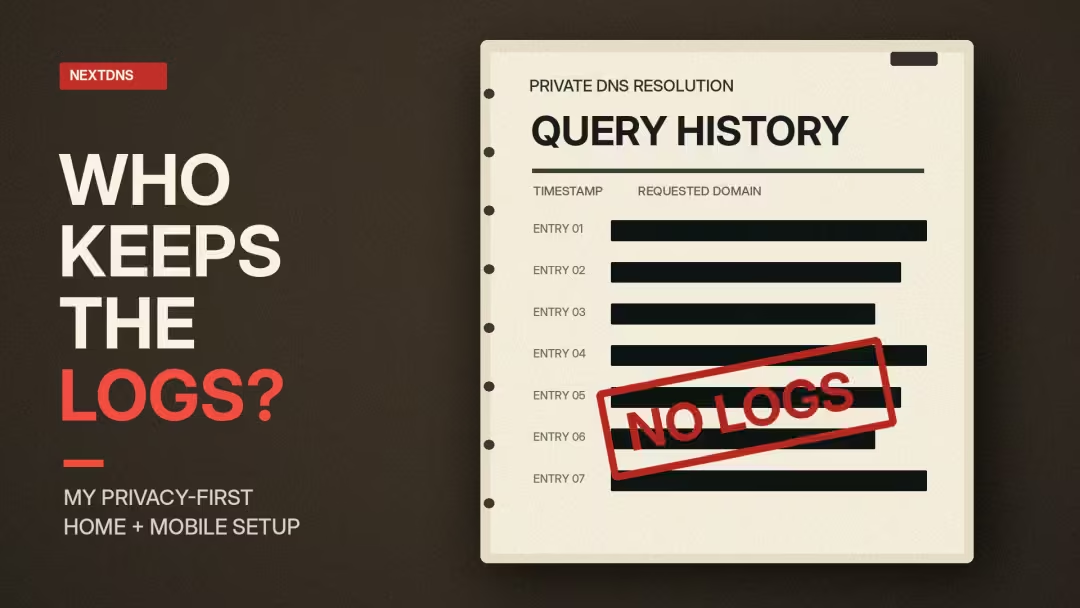
Why I Keep DNS Query Logging Disabled
Home: Disabled | Mobile: Disabled
My security settings are extensive, but I deliberately don’t keep NextDNS query logs.
The distinction is important.
A DNS filtering service needs to process requests to answer or block them. That doesn’t mean I want to retain a record of those requests afterward.
NextDNS allows query logging to be disabled. Its published privacy policy states that DNS request and response information is discarded after resolution when logging has not been requested.
Why I use it: I want the security benefits of DNS filtering without retaining a historical record of every domain my devices request.
Disabling logs also means giving up useful troubleshooting information.
If a legitimate website stops working, determining exactly which rule caused the problem becomes more difficult.
That’s a trade-off I’m willing to accept for my normal configuration.
It doesn’t guarantee complete online anonymity, and it doesn’t prevent websites, apps, or internet providers from collecting information through other mechanisms.
Has My Aggressive Mobile Profile Caused Any Problems?
With so many security controls enabled, there’s an obvious question: does everything still work?
In my experience, almost everything has.
So far, I’ve only noticed one potential compatibility issue.
An application I use includes a social section that integrates with Foursquare. Part of that feature lets users check in at places they’ve visited.
That check-in functionality doesn’t appear to be working correctly.
I suspect one of my NextDNS filtering rules may be blocking a domain required by the Foursquare integration.
However, I haven’t confirmed that NextDNS is responsible. It could be another issue with the application or the integration itself.
Even if NextDNS turns out to be the cause, I consider it a minor inconvenience.
The rest of my Mobile configuration has been working well enough that I don’t see a reason to disable an entire category of security protections over one optional social feature.
There’s also a straightforward troubleshooting option.
Why I Would Use the Allowlist Instead of Weakening Security
NextDNS provides an Allowlist for domains that should bypass its normal filtering rules.
If I confirm that a specific blocked domain is preventing Foursquare check-ins from working, I can add a targeted exception and test whether the feature returns.
That’s a better approach than switching off multiple protections without knowing which one caused the problem.
There are a few things I would check first:
- Confirm that the problem happens while the Mobile NextDNS profile is active.
- Test whether the feature behaves differently when that profile isn’t filtering the connection.
- Identify the specific hostname involved, using temporary diagnostic logging if necessary.
- Allowlist only the required hostname, if doing so is justified.
- Test the feature again and confirm that other security settings remain active.
Since I normally keep DNS query logs disabled, I would turn off and clear any temporary diagnostic logs after troubleshooting.
An allowlist exception isn’t guaranteed to fix the problem, especially if the issue originates inside the app or with Foursquare itself.
But if DNS filtering is responsible, a targeted exception may be enough.
That’s the kind of control I want: a security policy that stays strict by default but can accommodate legitimate services when necessary.
I also recognize that not everyone would make the same choice.
Someone who depends on social check-ins, location-based applications, or particular integrations may find my Mobile profile too restrictive.
For me, a minor inconvenience is acceptable when weighed against the more aggressive filtering I’ve chosen.
What These Settings Achieve Together
The goal of this NextDNS blueprint isn’t to turn on the largest number of switches.
It’s to build a configuration that makes sense for the environment.
My Home profile keeps the main protective layers active while leaving four stricter security controls disabled to preserve compatibility.
My Mobile profile adds those four controls because I’ve chosen a more restrictive approach when using devices outside my home.
Both configurations share the same privacy blocklists, device tracking protection, core threat detection, and disabled query logging.
My custom TLD restrictions reflect another part of that philosophy. I restrict selected domain extensions, including .ru .cnbecause I don’t ordinarily require access to them and prefer to limit that exposure.
The possible Foursquare compatibility issue also demonstrates the trade-off.
A strict configuration may block a legitimate feature, but that doesn’t automatically justify weakening the entire security policy. Sometimes, a carefully tested exception is the more appropriate response.
There will always be gaps.
DNS filtering can’t eliminate every tracker, prevent every attack, or guarantee that every legitimate website will work.
But these settings give me a way to control many unwanted connections before they happen.
For me, that’s the real value of NextDNS: understanding what my devices are allowed to contact and making those decisions myself.
Why I Turned Off DNS Query Logs
One of my most deliberate decisions was disabling NextDNS query logging on both profiles.
The reason is simple: I don’t want to retain a detailed history of DNS lookups unless there’s a clear need for it.
NextDNS lets users control whether DNS queries are logged. Its published privacy policy says that when logging isn’t requested, it doesn’t retain query data as account logs.
The company also explains that disabling logging reduces the information available through its analytics features.
I’m comfortable with that trade-off.
There is a practical disadvantage, however.
Without query logs, troubleshooting a broken website becomes more difficult. I can’t simply open a stored history and identify every blocked domain.
If I encounter a problem, I need to test the affected service, review my rules, and, where appropriate, temporarily use diagnostic logging before disabling it again.
My zero-log approach also doesn’t mean zero data exists anywhere on the internet.
Websites, account providers, apps, and other services can still collect information through their own systems.
I’m reducing one source of retained information, not claiming complete anonymity.
Blocking Trackers Before They Connect
My privacy settings use two blocklists:
OISD and HaGeZi Multi PRO.
Both are designed to identify domains associated with advertising, tracking, telemetry, and other unwanted activity.
They overlap in some areas, and that’s worth understanding. Adding more blocklists doesn’t automatically mean better protection.
The real question is whether the combination blocks unwanted activity without creating unnecessary problems.
I also enable NextDNS’s Native Tracking Protection across supported categories, including Windows, Apple, Samsung, Xiaomi, Huawei, Alexa, Roku, and Sonos.
This extends the policy beyond ordinary browser advertising to known tracking-related connections used by various device ecosystems.
Another setting I enable is Block Disguised Third-Party Trackers.
This targets trackers that try to appear as part of the website being visited, including techniques involving CNAME-based disguising.
I leave Allow Affiliate & Tracking Links disabled.
Some shopping links, email campaigns, or cashback services may not work as intended when their redirect domains are blocked. That’s a trade-off I’ve chosen rather than a setting everyone should copy.
It’s also important to understand that DNS filtering cannot stop every form of data collection.
The Federal Trade Commission explains that data brokers gather information through multiple sources, including public records and other data sellers.
Blocking tracking domains can reduce certain collection paths. It cannot remove information already collected or stop every first-party tracking system.
The issue extends beyond browsers. Our reporting on data sharing in connected vehicles shows why device privacy deserves attention too.
The Security Rules Behind My NextDNS Setup
Both profiles rely on several common defensive layers.
Threat Intelligence Feeds help identify domains associated with known malicious activity. AI-Driven Threat Detection adds NextDNS’s own detection system.
Google Safe Browsing provides another source of malicious-domain information.
I also enable protections for newly registered domains, domain generation algorithms, typosquatting, and internationalized domain name homographs.
Those last two categories are particularly useful to understand.
A fraudulent website might use an address that looks nearly identical to a familiar company. Another could substitute visually similar characters from a different alphabet.
The goal is to identify suspicious destinations before a user connects.
I also maintain a custom top-level-domain blocklist, including extensions such as .top, .xyz, .zip, and .mov.
This is an aggressive policy choice, not a declaration that every website using those extensions is malicious.
Legitimate websites exist under many of these domains. Blocking an entire extension can prevent access to harmless services.
I also block Dynamic DNS Hostnames, Tunnelling Endpoints, and Data Drop Services in both profiles.
These categories have legitimate uses, especially for developers and IT administrators. That’s why reviewing compatibility matters before enabling them.
None of these settings guarantees protection against an unknown exploit. They aim to reduce access to selected suspicious infrastructure.
Performance Without Unnecessary Complexity
Security matters, but not if everyday internet access becomes unreliable.
My NextDNS configuration enables three performance-related settings.
Anonymized EDNS Client Subnet helps DNS-based content delivery decisions without forwarding my full client IP address to authoritative DNS servers.
Cache Boost changes DNS caching behaviour by enforcing a minimum time-to-live value. This can reduce repeated DNS requests, although longer caching can sometimes delay DNS changes.
CNAME Flattening reduces some intermediate DNS lookups involved in resolving aliases.
I also disable the optional NextDNS Block Page. Blocked requests instead receive an unspecified address such as 0.0.0.0 or ::.
This avoids relying on a separate blocking page that may produce HTTPS certificate warnings.
These choices are intended to keep DNS resolution simple and predictable. I haven’t run a controlled performance benchmark demonstrating a particular speed improvement.
How to Build and Verify Your Own Profiles
You don’t need to copy every setting from my configuration.
Start by deciding which devices need the strongest restrictions and which ones depend on services that could break under aggressive filtering.
Here’s the process I’d recommend:
- Visit NextDNS and create or save a configuration.
- Configure core security protections and choose a sensible privacy blocklist.
- Decide whether DNS query logs are necessary, and disable them if minimizing retained query history is your priority.
- Create a separate Mobile configuration if your phone needs stricter filtering.
- Follow the NextDNS Setup instructions for your device or compatible router, preferably using encrypted DNS.
- Visit test.nextdns.io on each device to check its connection and active configuration.
- Test real websites, streaming services, games, banking apps, and other important workflows before treating the configuration as finished.
For router-wide deployments, the open-source NextDNS CLI is another option on supported systems.
If you’d rather manage DNS filtering at the network level, a compatible home router can simplify deployment across multiple devices. The GL.iNet Flint 2 supports configurable encrypted DNS settings, making it an option for households looking to use NextDNS without configuring every device individually.
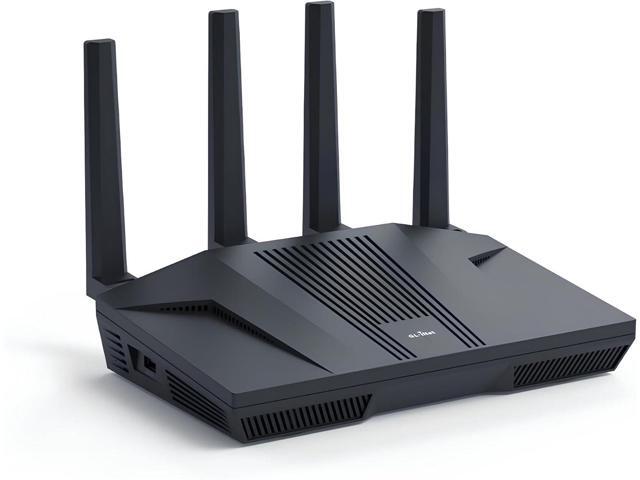
GL. iNet GL-MT6000 (Flint 2) WiFi 6 High Speed Gaming Routers for Wireless Internet, 2 x 2.5G Ethernet Ports for Fiber Optic Modem, Long Range...
The key is confirming that the intended profile is actually being used.
A correctly configured dashboard does nothing for a device sending its DNS requests somewhere else.
What NextDNS Cannot Protect You From
I like the control NextDNS provides, but it isn’t a complete security solution.
It cannot guarantee protection against zero-day vulnerabilities, remove malware already installed on a device, or stop every phishing attack.
It also cannot prevent rogue cellular towers from interacting with a phone’s cellular radio. That is a different security problem.
DNS encryption helps protect DNS requests from observation or modification in transit, but it doesn’t make public Wi-Fi automatically trustworthy.
NextDNS isn’t a replacement for operating-system updates, endpoint security, browser protections, or a VPN when one is appropriate.
I’ve discussed those broader distinctions in CRYOVEX’s internet privacy and encryption guide.
And even when a tracker is blocked, a website can still collect information directly through accounts, cookies, or other methods.
Connected products raise similar concerns. Our coverage of smart glasses privacy explores why technical safeguards are only part of the privacy question.
For me, knowing these limitations is part of configuring a security tool responsibly.
NextDNS Frequently Asked Questions
Is NextDNS really zero-log?
NextDNS allows users to disable DNS query logging for their configurations. The company states that, when logging is disabled, it does not produce retained query logs for that configuration. This doesn’t mean websites, apps, or every system involved in an internet connection stop collecting data.
Is NextDNS better than using my ISP’s DNS?
It depends on your priorities and your ISP’s services. NextDNS provides configurable security filtering, privacy blocklists, and logging controls. Some ISP DNS services may provide their own protective features. Choosing NextDNS offers a different level of user-configurable control, not an automatic guarantee of faster or safer browsing.
Can NextDNS stop ads inside YouTube videos?
Not reliably. Advertisements and video content can come from the same service infrastructure. Blocking those domains may interfere with playback rather than selectively removing advertisements. DNS-level blocking works best when unwanted connections use identifiable domains that can be blocked independently.
Does NextDNS hide my IP address?
No. Encrypted DNS protects the DNS lookup between your device and the resolver, but websites you connect to can still see your public-facing IP address unless another mechanism changes it. Anonymized EDNS Client Subnet is not the same as hiding your IP from websites.
Why use different NextDNS profiles for Home and Mobile?
Different environments have different compatibility needs. My Home profile prioritizes security without interfering unnecessarily with IPTV, gaming, and connected devices. My Mobile profile enables additional filtering controls because I prefer stricter DNS policies when using my phone across networks.
Do more NextDNS blocklists mean better protection?
Not necessarily. Multiple lists can overlap, and aggressive combinations can block legitimate services. Start with well-maintained lists, test important websites and apps, and add restrictions only when they offer a clear benefit.
Is NextDNS free?
NextDNS offers a free tier with 300,000 DNS queries per month and access to its filtering features. According to its published pricing page, DNS resolution continues without filtering after the monthly free allowance is exceeded. Paid personal plans provide unlimited queries.
My Verdict: Control Matters More Than Defaults
What I appreciate most about NextDNS is the flexibility.
I can build one configuration around the needs of my home and another around the stricter rules I want on mobile.
I can reduce unwanted tracking, restrict selected high-risk destinations, and choose not to retain my DNS query history.
Most importantly, I can make those decisions myself.
NextDNS isn’t a magic shield. It won’t make me anonymous or solve every security problem.
But it gives me meaningful control over an important part of how my devices connect to the internet.
And that’s exactly what I wanted.